M5Stack Tab5 — Home Assistant wall screen with ESPHome and LVGL
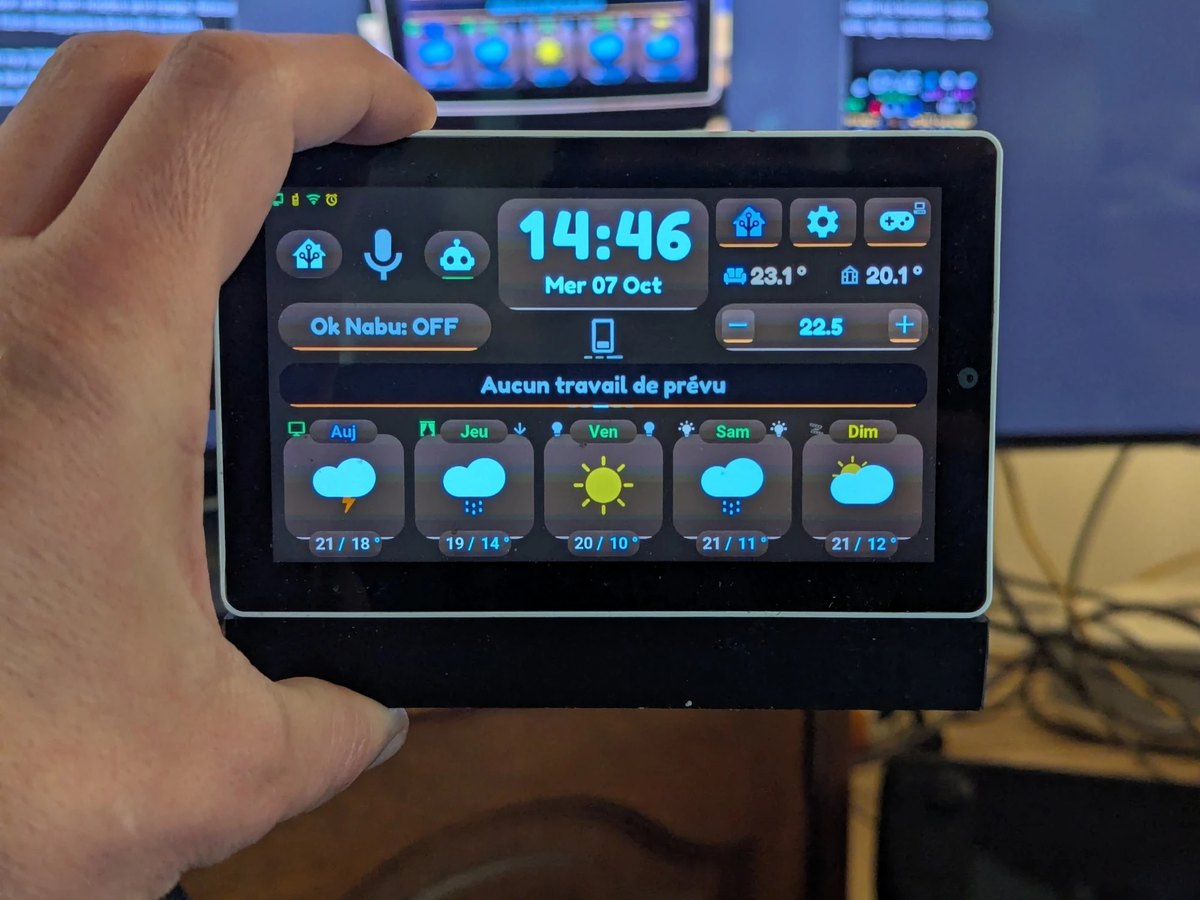
A Home Assistant wall screen that runs natively on the M5Stack Tab5 (ESP32-P4). No browser, no polling: Home Assistant pushes what changed, and the screen redraws only that, in C++ with LVGL. Local "Okay Nabu" wake word, 15-day forecast, climate, lights, plants, energy, music, cameras, TV remote, alarm clock — and 8 offline games, in seven languages. Twenty-one themes, light or dark, chosen from Home Assistant. It is my everyday screen, shared in case it is useful to someone. It also runs, as an experiment, on a 7-inch Waveshare board.
Install from the browser · Installation guide · User manual · Try it without Home Assistant · Discussions
A personal project exploring what's possible when AI writes all the code. Built with Antigravity, DeepSeek, MiniMax, Z.ai, Claude, and Cursor — not a single line typed by hand. I am more the architect than the author.
ℹ️ In development: A worldwide weather and natural hazard API (Vigie API) is currently being built to power this screen and Home Assistant, accompanied by a public web portal (vigie.auxfilsdesidees.fr) and a standalone weather display requiring no HA server (Vigie Display). See Related Projects.
Why this one
- Push-only, zero polling. Home Assistant sends only what changed; the tablet never asks for anything (ADR-0001).
- Set up with the mouse, in Home Assistant. After the install, rooms, tiles, sensors, cameras, what each zone shows and what each gesture does are picked in one blueprint, and changing a device needs no flash (your devices).
- Voice starts on the device. "Okay Nabu" and a "Stop" word for the roller shutter are detected on the tablet; audio leaves it only after the wake word.
- Seven languages, down to the details. French, English, German, Dutch, Spanish, Italian and Turkish, switched from Home Assistant: menus, games, dates, the texts Home Assistant sends and the spoken alarm briefing. Translated by an AI; the author only checked the French (translations).
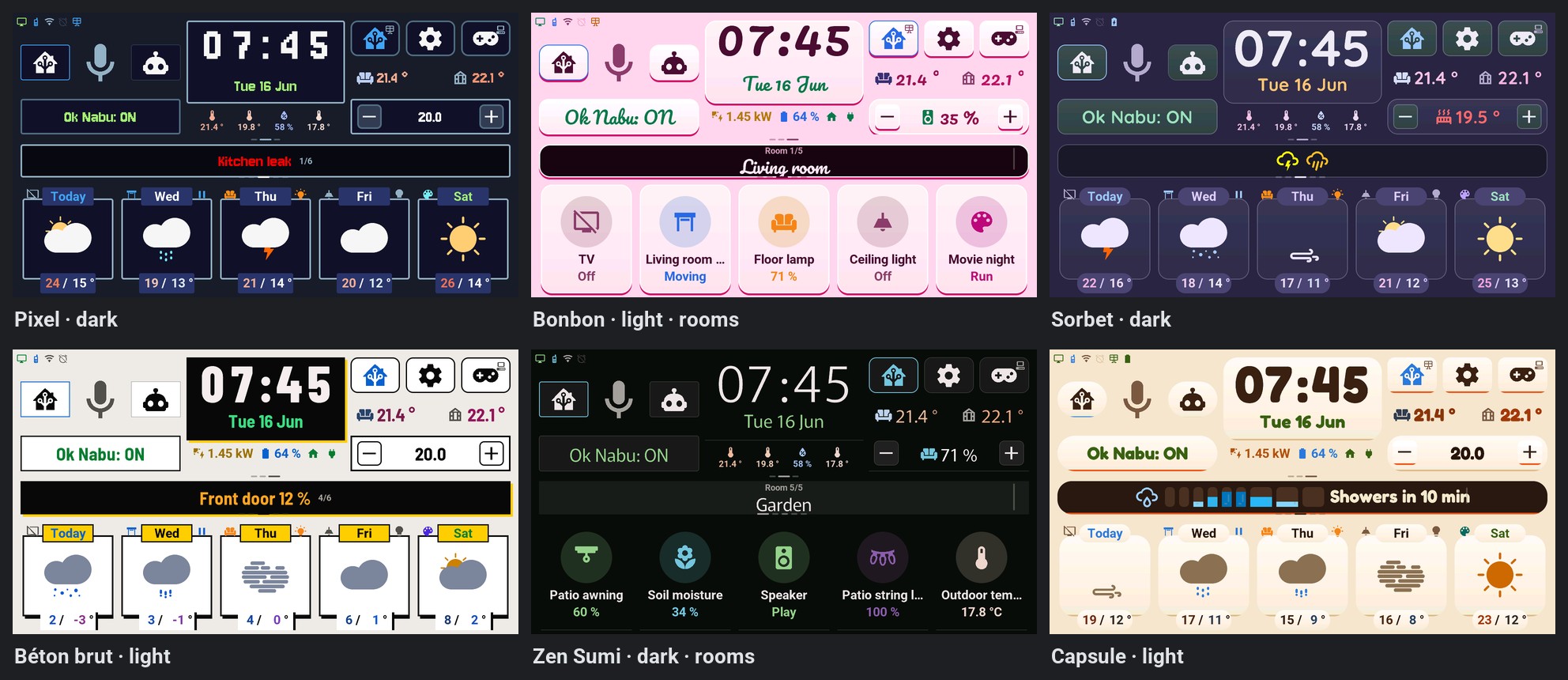
- Twenty-one themes, light or dark. Colours, shapes and the fonts of the clock change at once, without a restart, from Home Assistant or the tablet's console; « Auto » turns light at sunrise and dark at sunset (themes).
- Keeps working when Home Assistant doesn't. Clock, alarm clock, games and the diagnostics console stay usable on their own.
- Lots of notes and tests. 68 architecture decision records, host tests for the C++ game and alarm engines, and a CI that compiles the firmware against both the minimum and the latest ESPHome. All written with AI, and tried on real screens one at a time.
- Runs on the ST7123 and ST7121 revisions of the Tab5, builds for the original ILI9881C, and runs, as an experiment, on the 7-inch Waveshare ESP32-P4 7B.
What it does
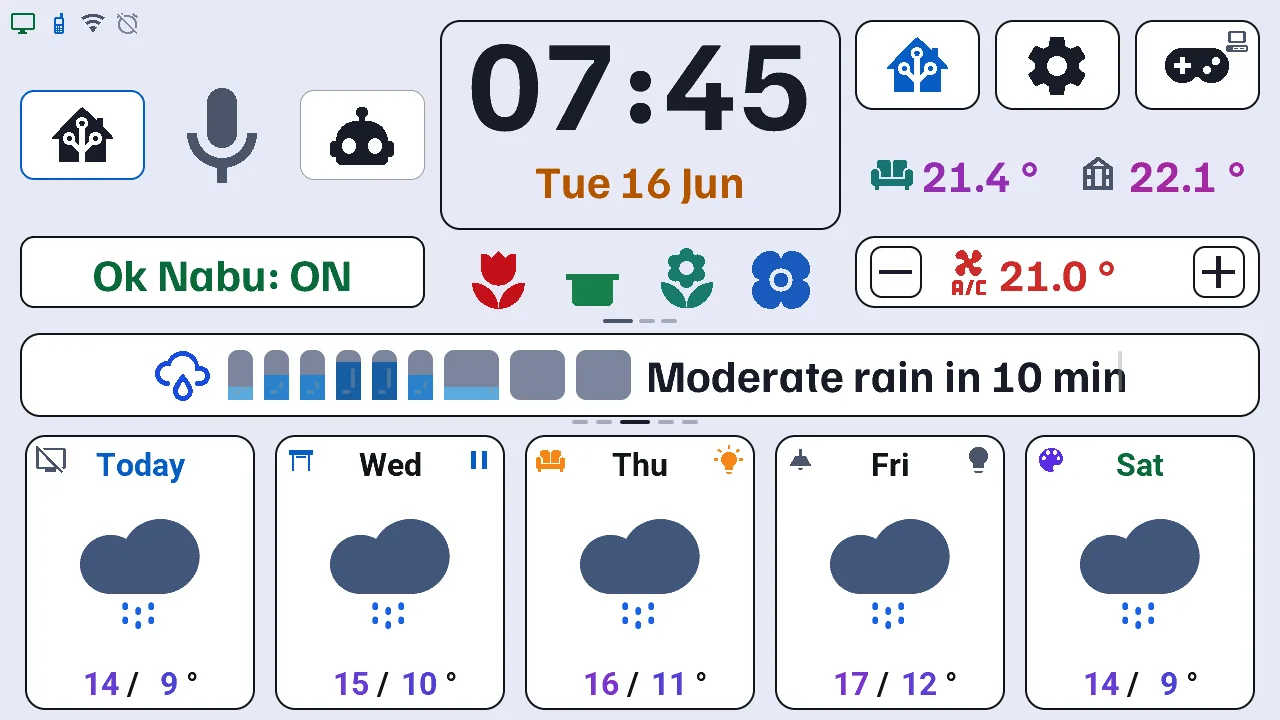
A single page (1280×720 on the Tab5, 1024×600 on the Waveshare 7B): windows open with a tap, a long press or a swipe — each of them is in the user manual.
- Weather — rain in the next hour, hourly and 15-day forecast, weather warnings (below).
- Central card — every 8 s: work hours, rain graph, warnings, a 3-day calendar recap and up to 4 banners pushed by Home Assistant, the alerts you subscribed to; a tap dismisses a banner, a long press shows the 20 latest alerts (home screen, alerts).
- Rooms — the bottom row: up to 10 rooms of 20 devices (lights, switches, shutters, media players, scenes, sensors), their number chosen in Home Assistant, with their names and icons taken from Home Assistant (bottom row and rooms).
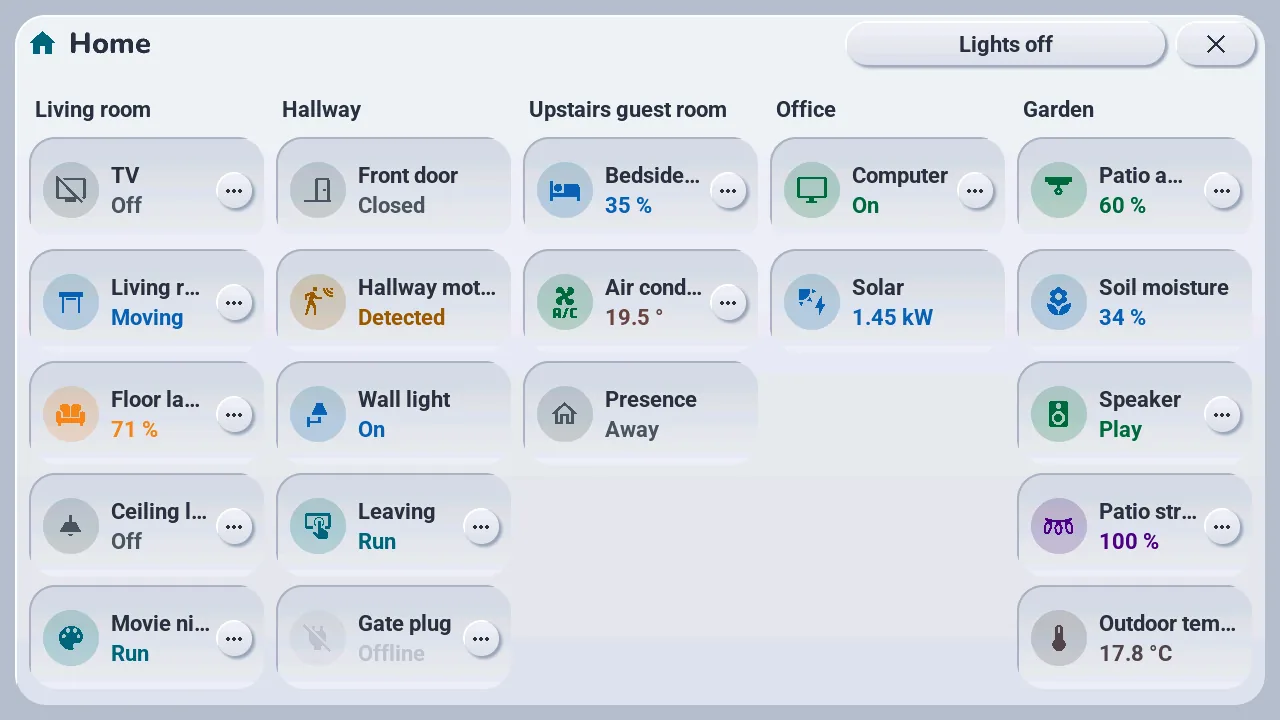
- House — the whole house at a glance, one column per room: each device with its state, the same tap and long press as its card, and every light off in one tap (house).
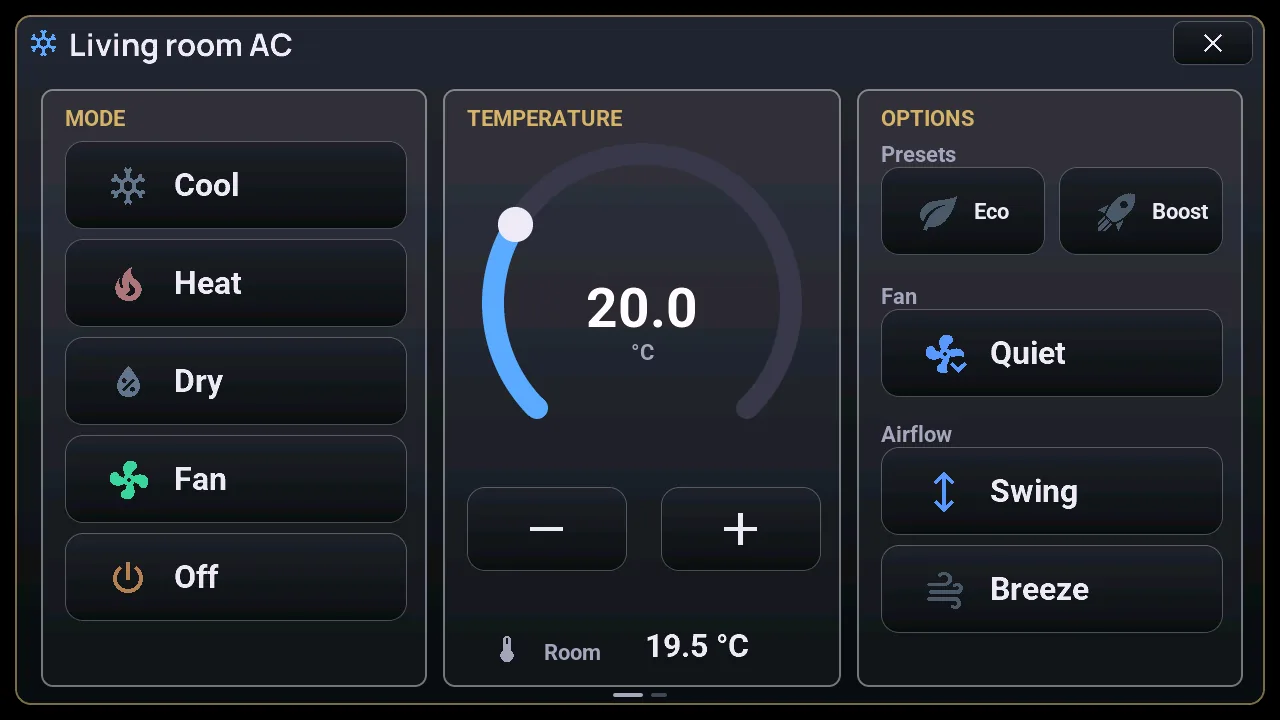
- Climate — modes, a thermostat arc, presets and airflow; the controls are dimmed, not hidden, when the unit is off (climate).
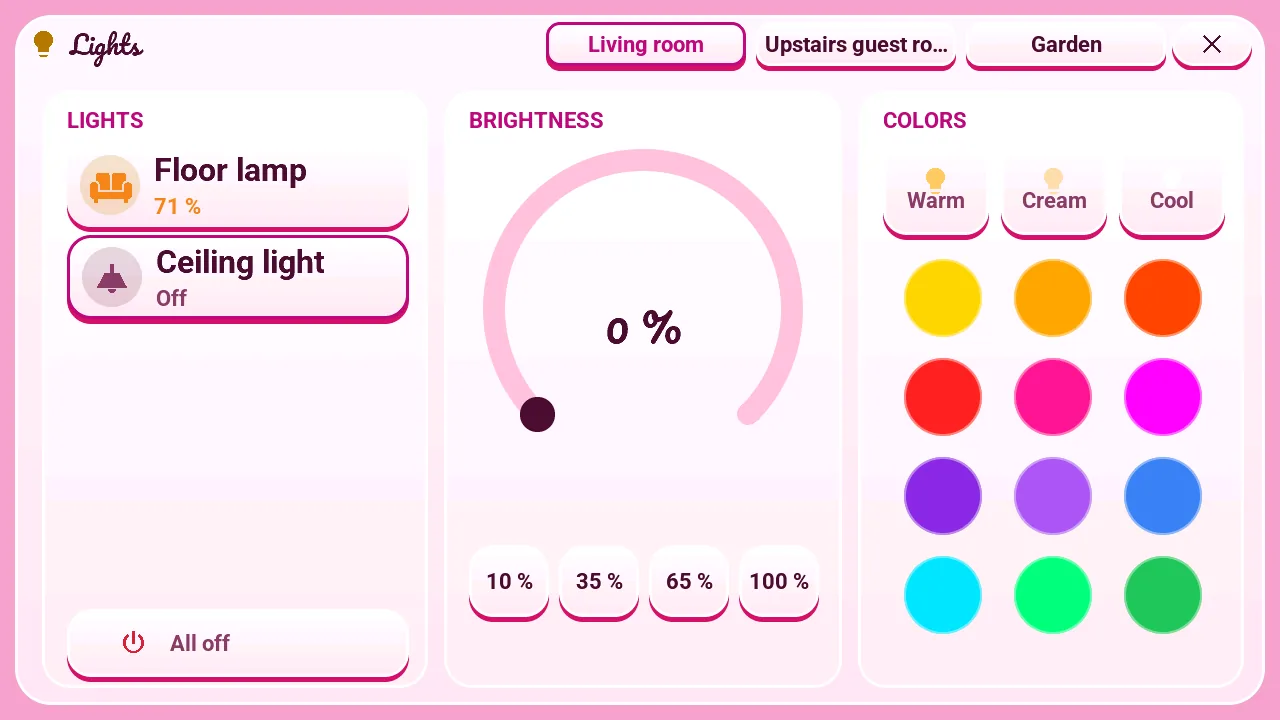
- Lights — the room's lights (up to 5): brightness arc with shortcuts, 3 whites and 12 colours (lights).
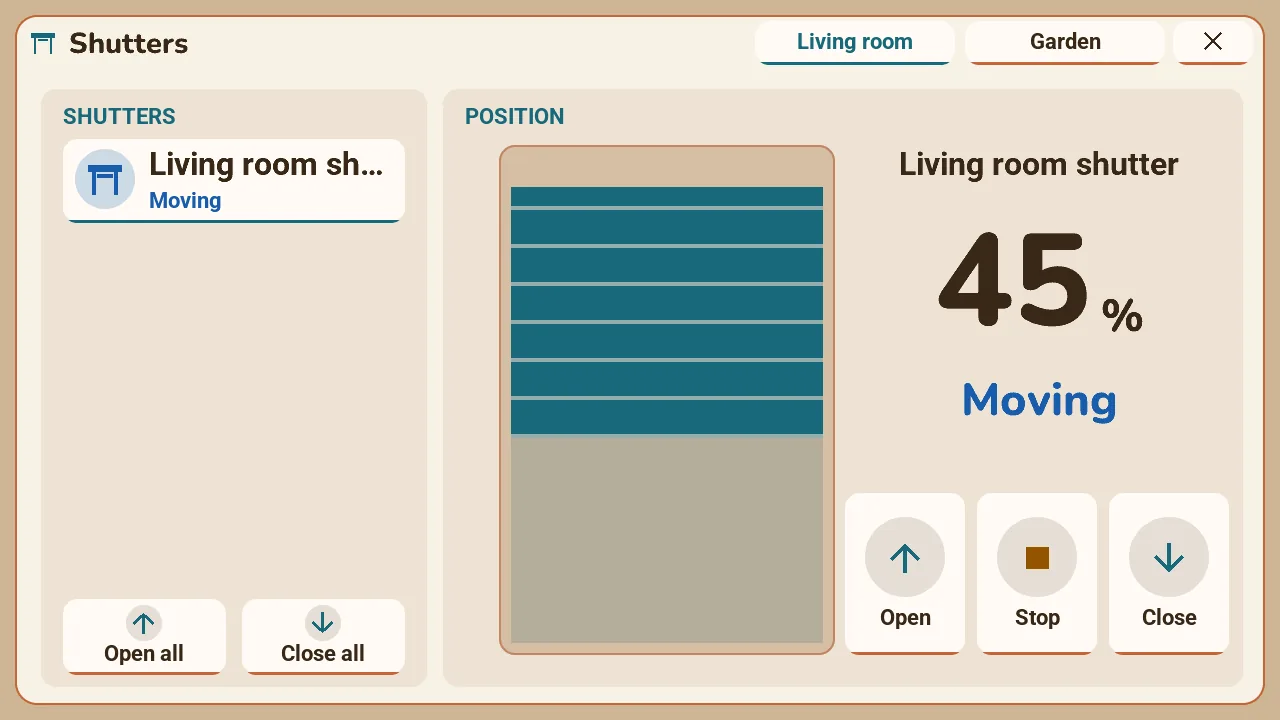
- Shutters — open, close or a position; while it moves, "Stop" said aloud halts it at once (shutters).
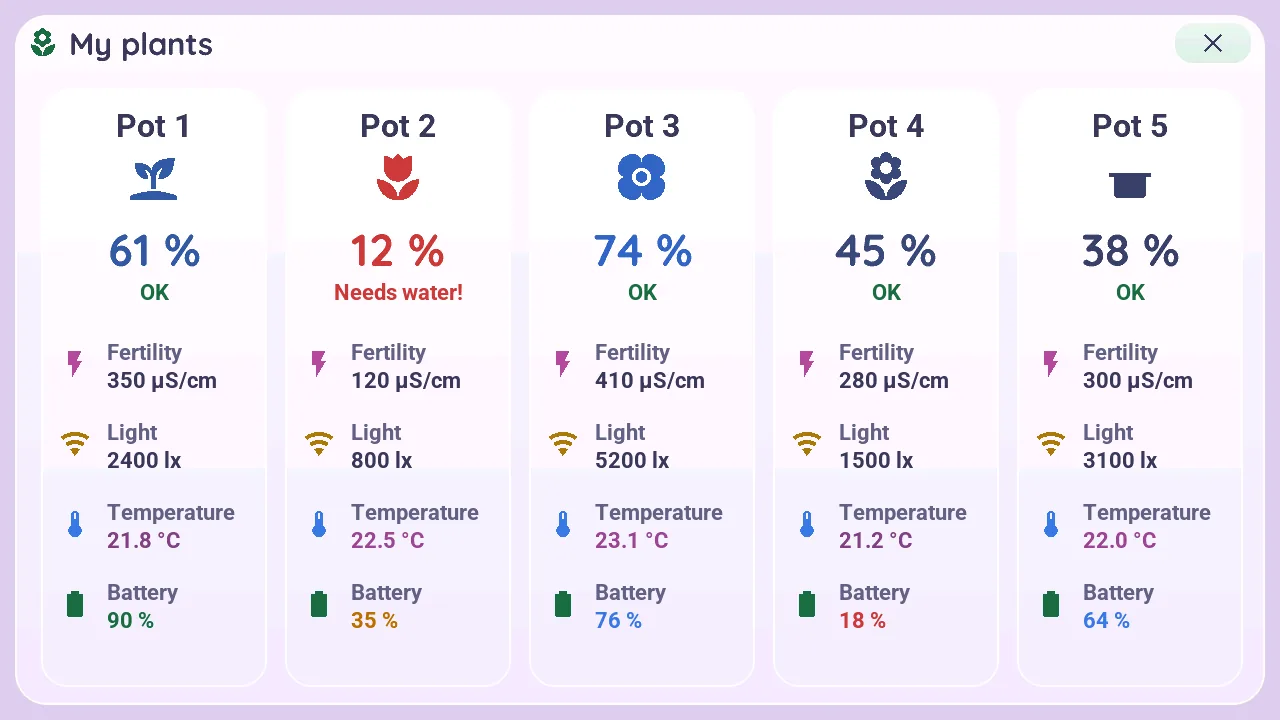
- Plants — up to 5 BLE sensors, coloured by soil moisture; a long press shows fertility, light, temperature and battery (plants).
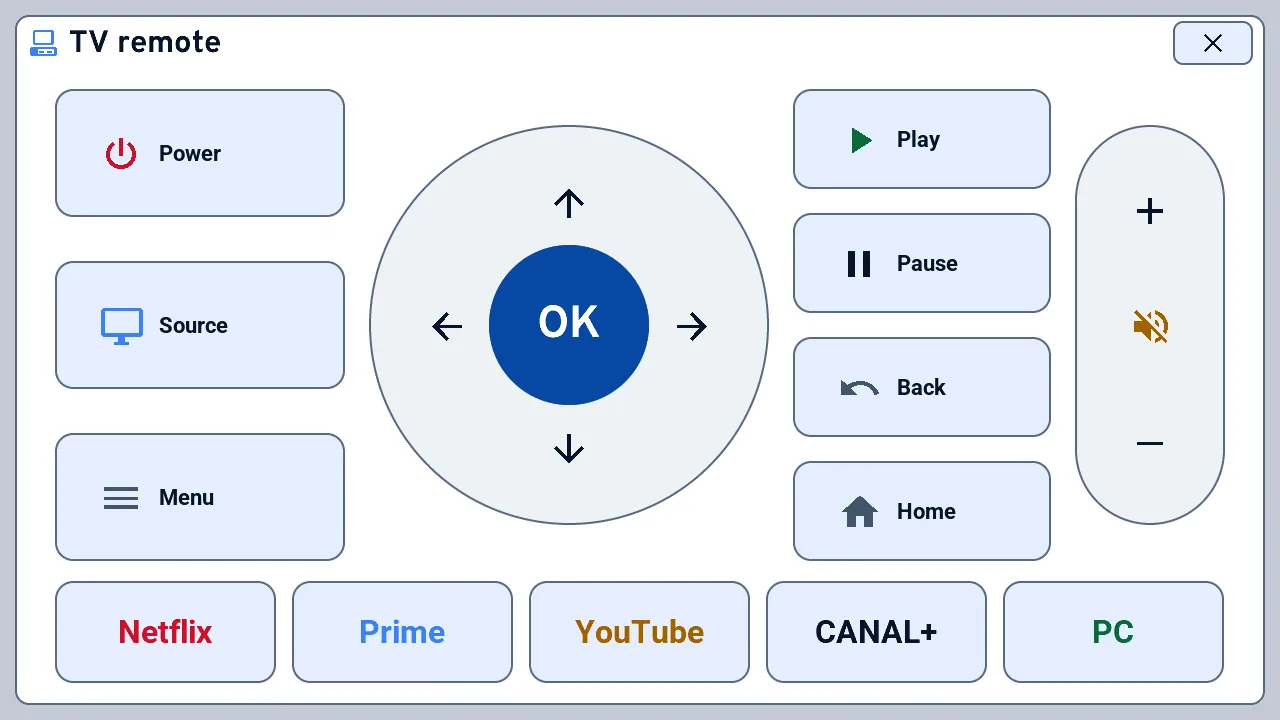
- TV remote — a full-screen Samsung remote: power, pad, volume, channels, playback, mute, through Home Assistant (TV remote).
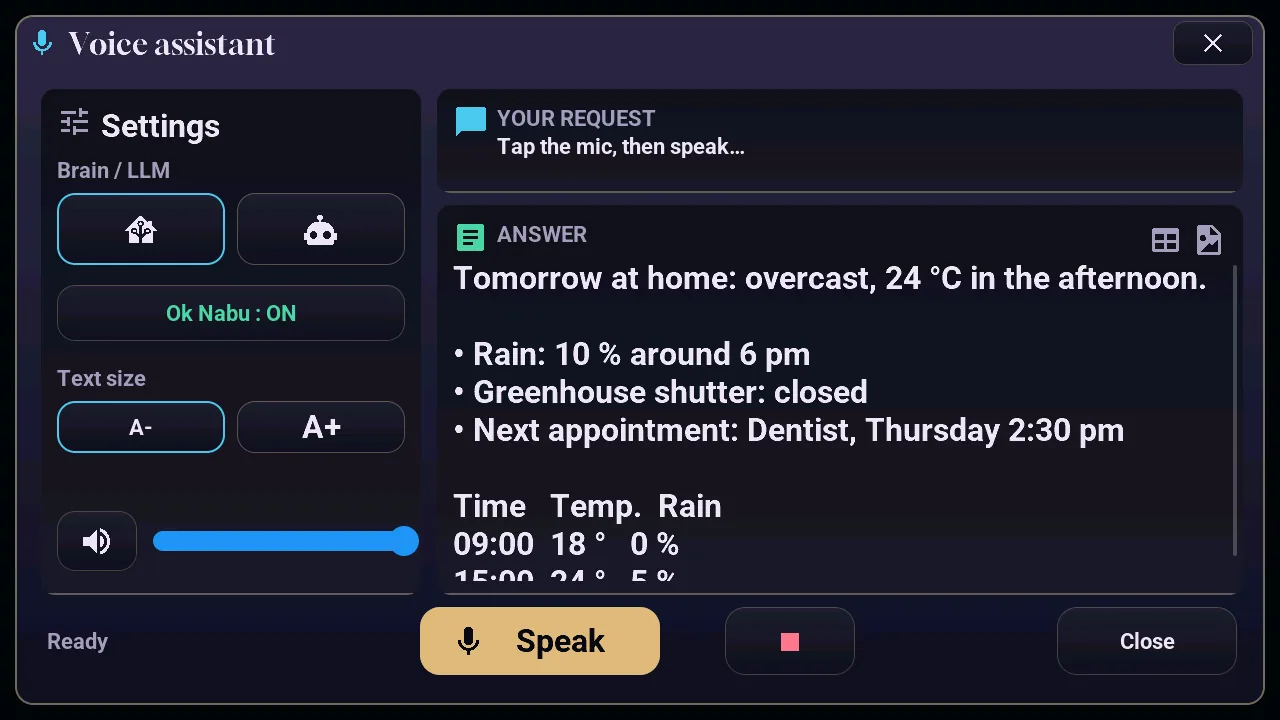
- Voice — "Okay Nabu" detected on the tablet, or a tap on the microphone; two assistants chosen from the screen, home control or a conversation (voice).
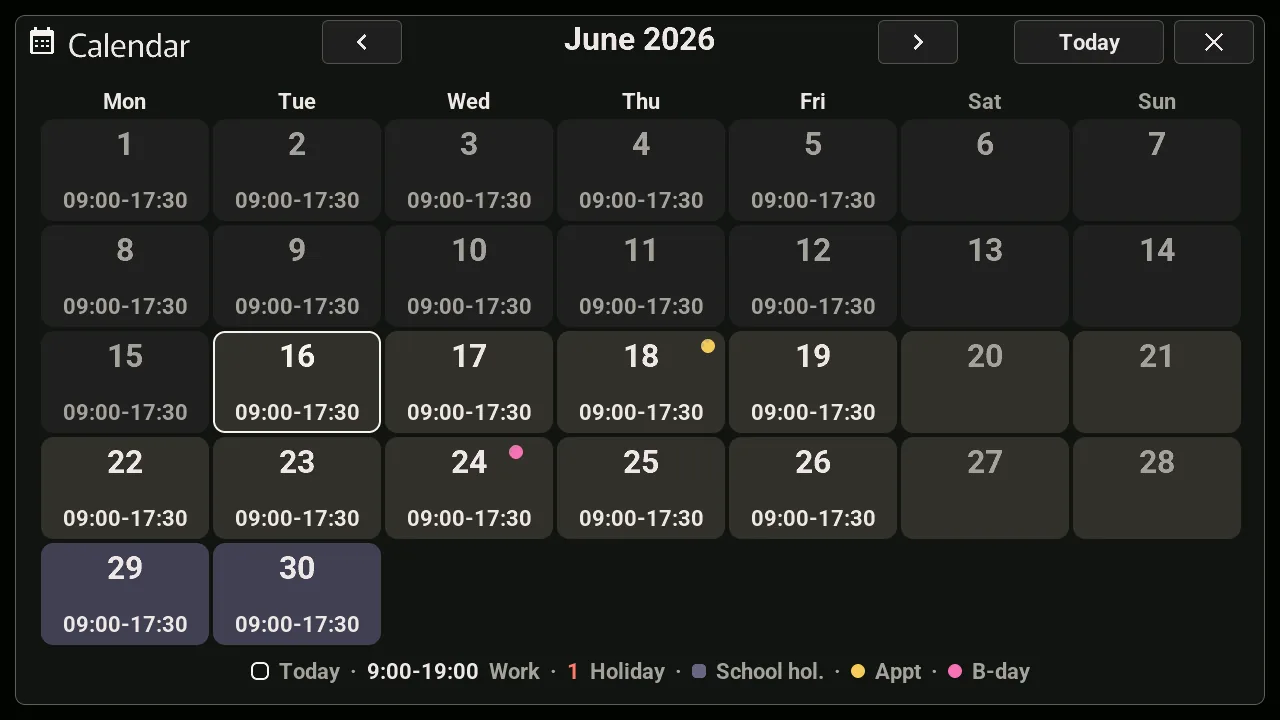
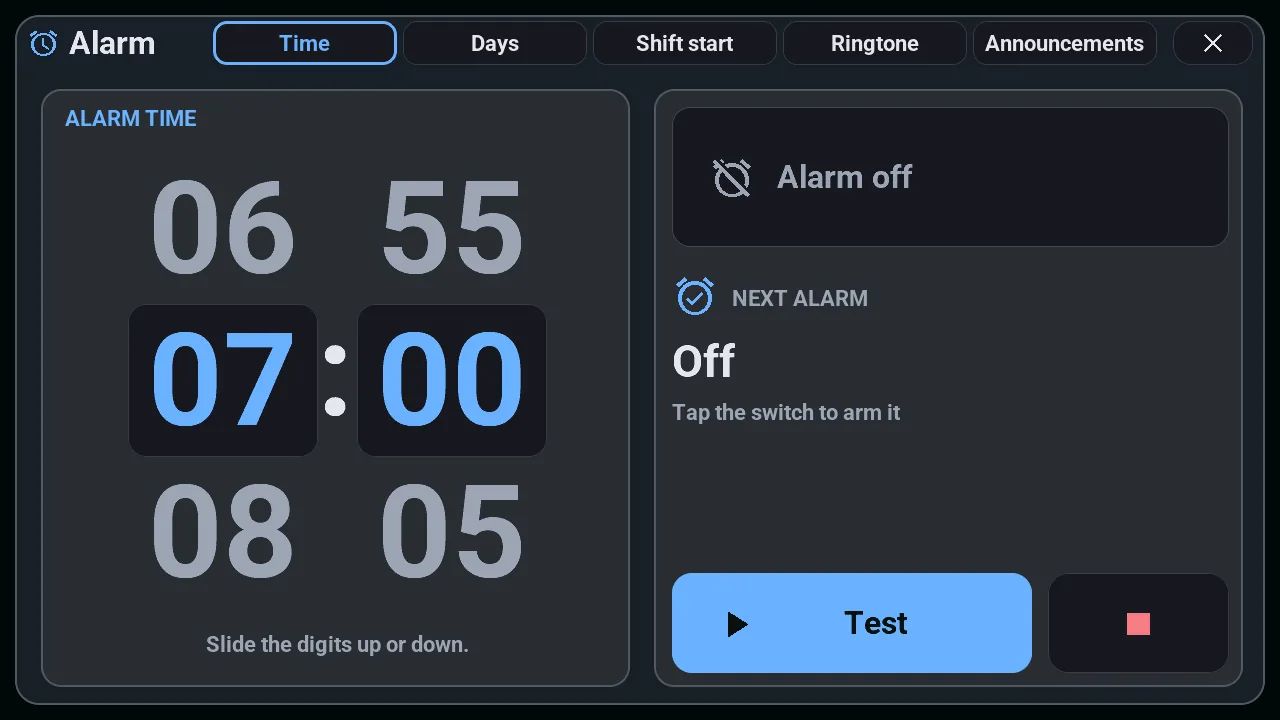
- Calendar and alarm clock — a monthly calendar computed on the tablet, with work hours, holidays and appointments; an alarm clock with a spoken briefing (calendar, alarm clock).
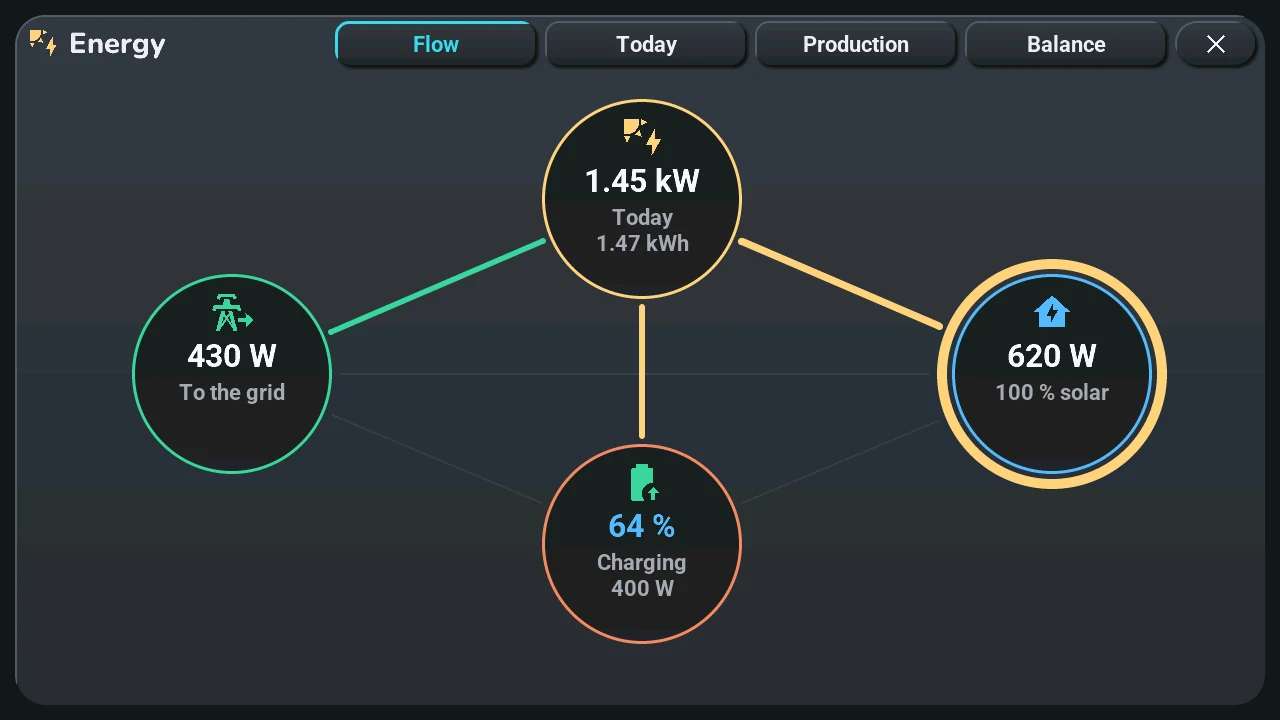
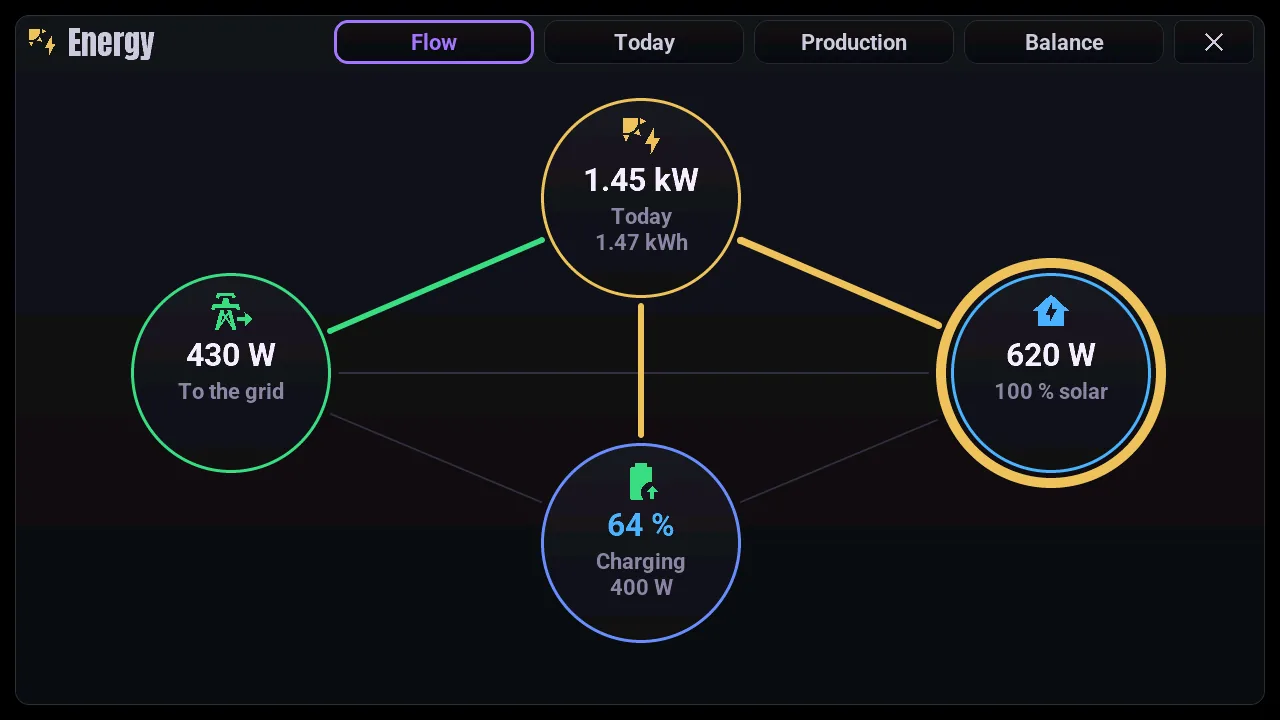
- Energy (optional) — what flows between the sun, the home, the grid and a home battery right now, the day's sun and a production forecast learned from your panels, the production per hour, day and month, and the month's balance in kWh, as if the grid were a battery (energy).
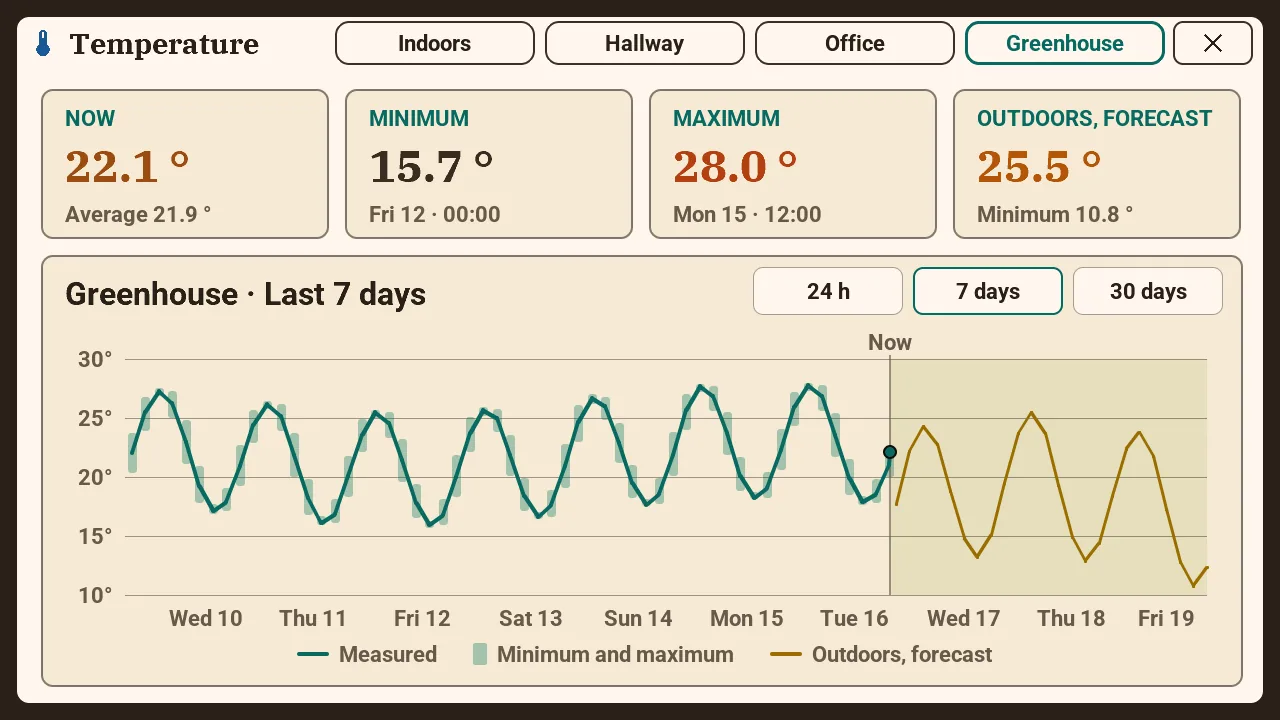
- Temperature history — a long press on a temperature: its curve over 24 hours, 7 or 30 days, with the weather forecast for the second one (temperature).
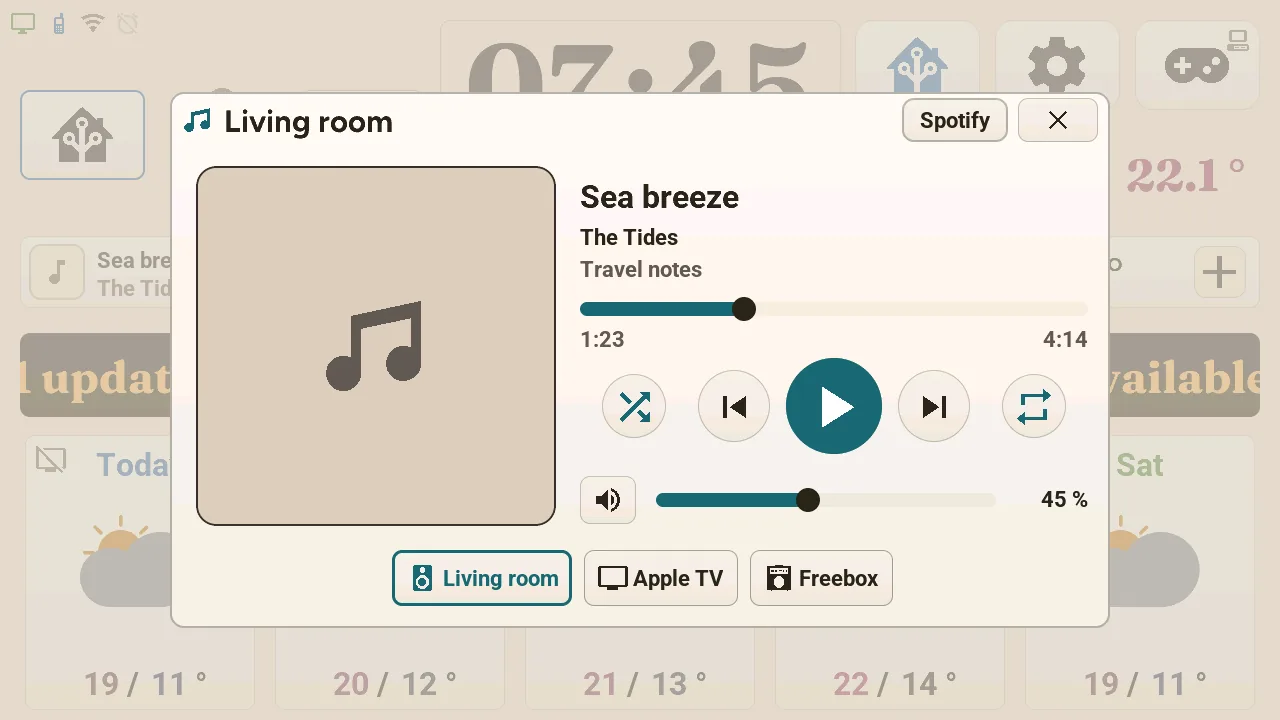
- Music — any media player of Home Assistant: cover, title, position, playback and volume; a compact player can sit left of the clock. Pages for your favourite playlists, the players of every room and, with Music Assistant, grouping and its library (music).
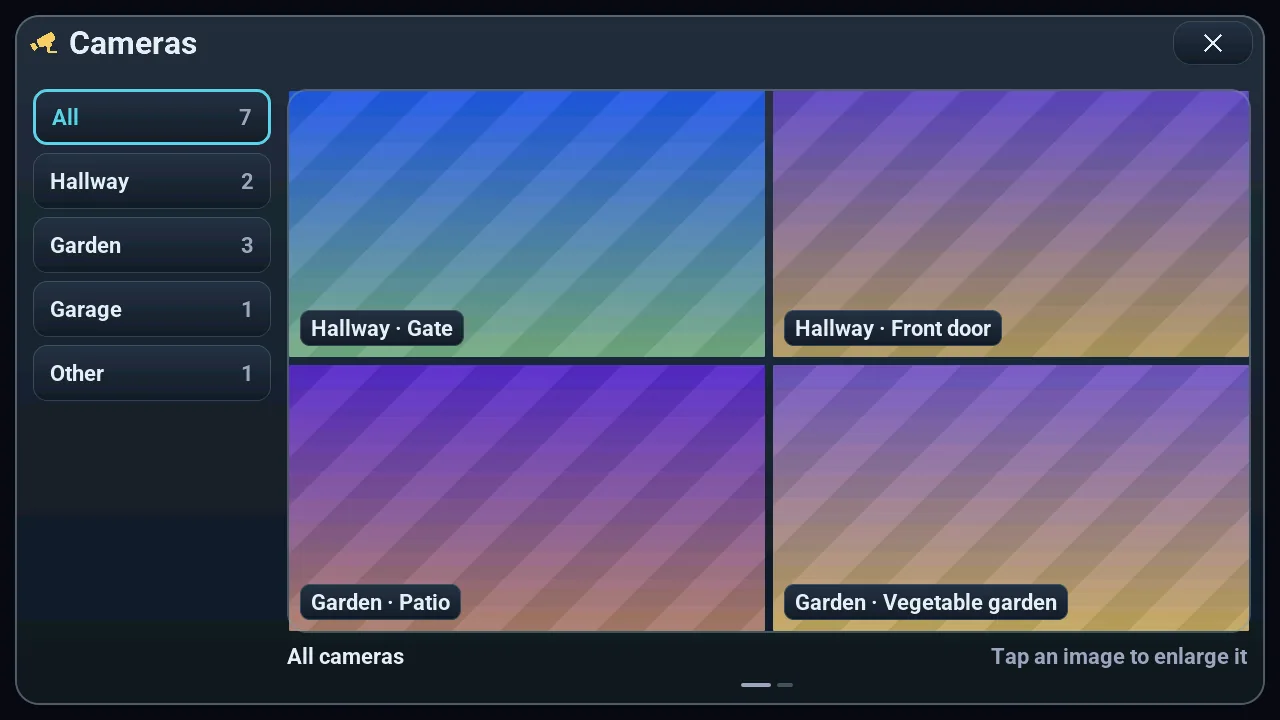
- Cameras — a still image of each camera, refreshed while the window is open, grouped by room; no video (cameras).
- Tracking, fridges, AI server — up to six sensors you follow (a share price, a power…) with their 24-hour curve; fridges and freezers checked against their norm, with an alert; the dashboard of a local LLM server (tracking, fridges, AI server).
- Diagnostics console — memory, Wi-Fi, uptime, volume, theme; reload automations, restart Home Assistant or the tablet behind a confirmation (system console).
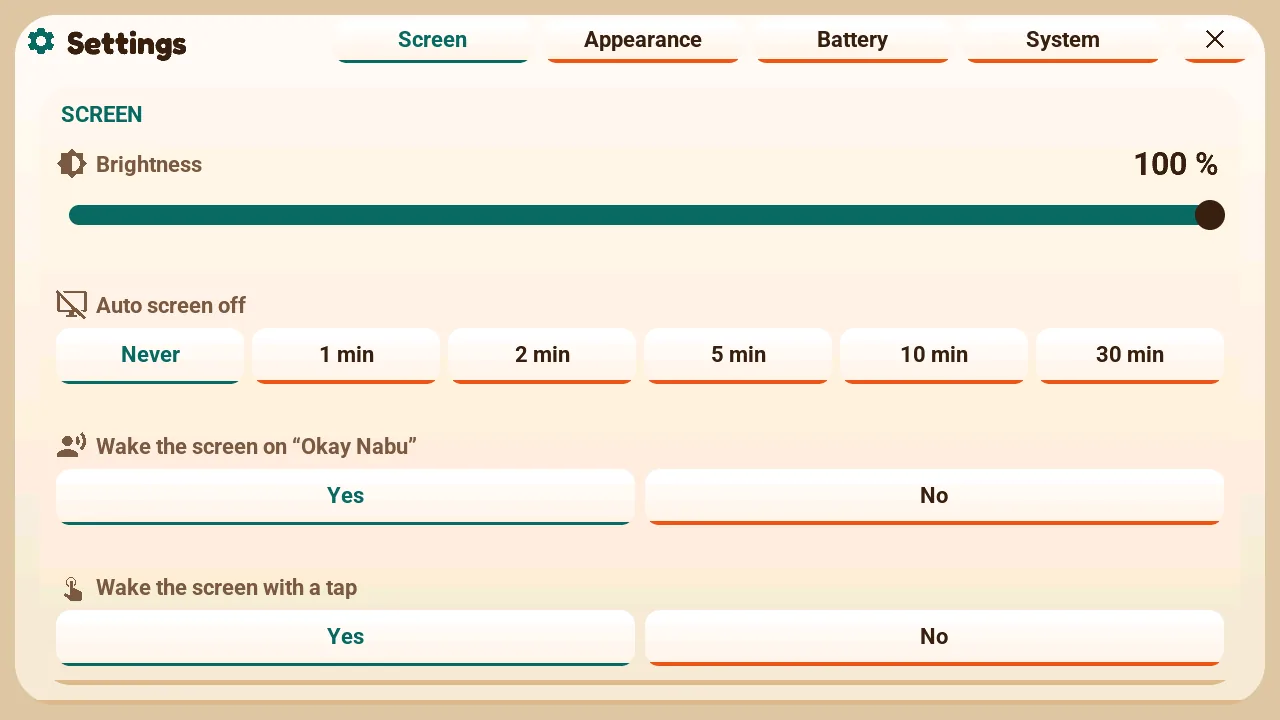
- Settings — brightness, auto screen off, theme, light or dark, language, without opening Home Assistant (settings).
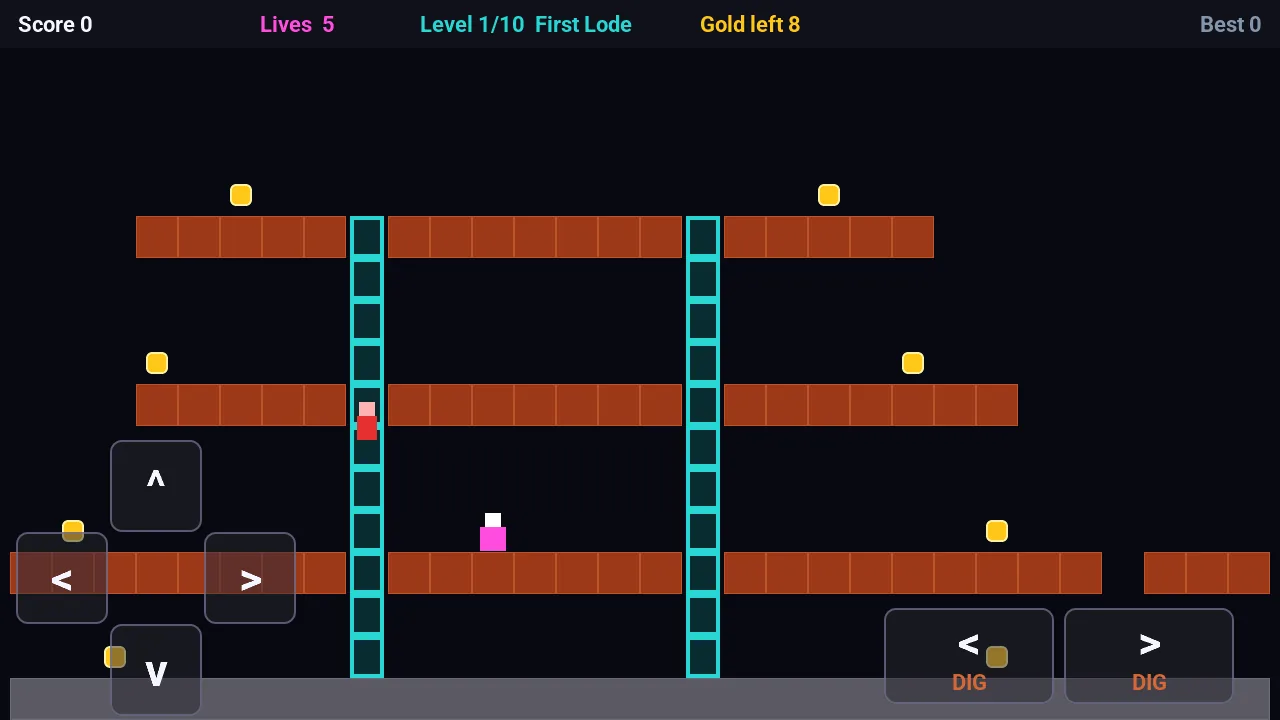
- 8 offline games — experimental: chess, draughts, Go, breakout, pinball, Lode Runner, a marble roguelite and a quiz (Arcade).
Rain in the next hour, weather warnings
What the screen was first made for: seeing at a glance whether rain is coming before leaving. Both panels join the rotation of the central card only when there is something to show. Renders of the firmware with demo data: moderate rain in 10 minutes, an orange warning.
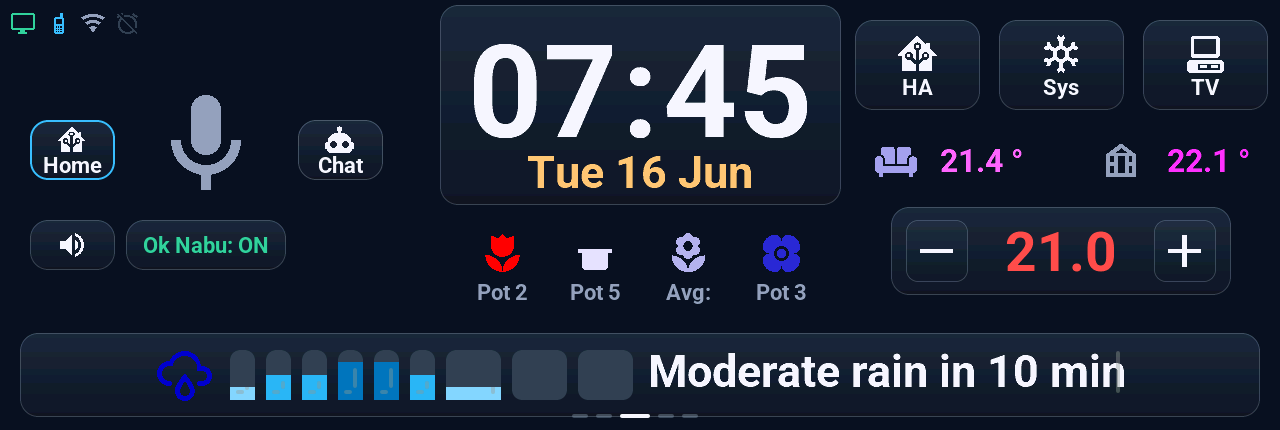
- 9 bars, the whole next hour: one every 5 minutes for half an hour, then one every 10 minutes. The taller and darker the bar, the heavier the rain. The sentence is written by the tablet, in its language, and counts the minutes down by itself.
- Source, chosen in Home Assistant: Météo-France in France; the Buienradar, DWD or Met.no radars; OpenWeatherMap; Open-Meteo everywhere, with no key, used by itself when there is no Météo-France; or none, and the panel goes away (weather providers).
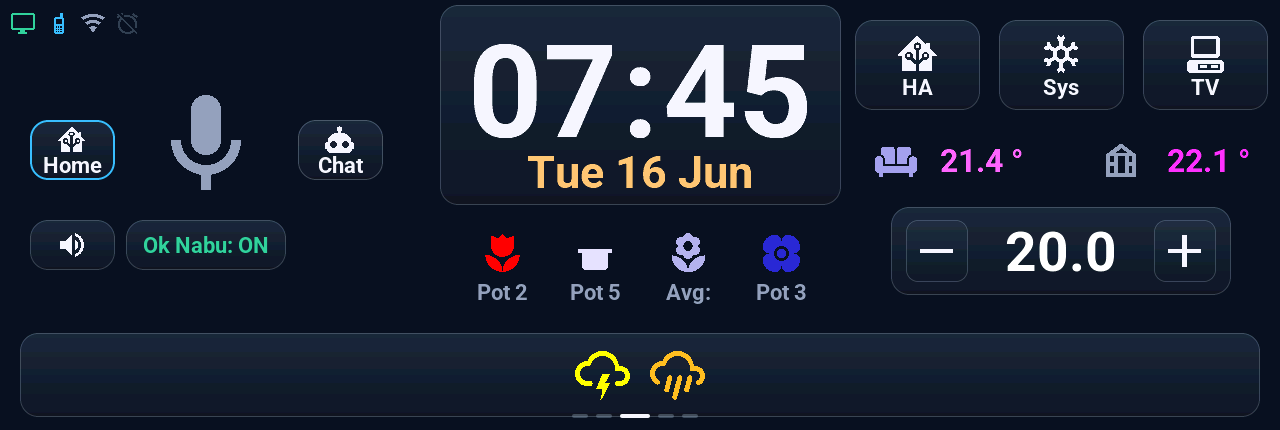
- One icon per warning in force, up to 4, each in the colour of its own level. The date under the clock takes the colour of the day's overall level.
- Source: Météo-France for your department; elsewhere MeteoAlarm, the DWD or CAP Alerts. Apart from Météo-France, the warnings were only tried with simulated data.
Before you start
- A Tab5: the ST7123 display chip is the author's; the ST7121 runs on another user's unit, the original ILI9881C is built but untested — see hardware compatibility. Or a Waveshare ESP32-P4 7B (7-inch, 1024×600): experimental, without the games by default; its firmware installs from the browser too, in the beta channel for now (Waveshare 7B).
- Home Assistant 2026.8 or later. A ready-made, signed firmware installs from the browser; to build your own, ESPHome ≥ 2026.9.0 (2026.9.1 for the Waveshare).
- The screen speaks French, English, German, Dutch, Spanish, Italian or Turkish, switched from Home Assistant — all written by an AI like the rest of the project; the author checked the French, the others are not reviewed yet. Only the quiz questions stay in French (translations).
- The layout started from the author's home. You pick your devices in Home Assistant with the mouse (a blueprint), and what you don't have disappears from the screen. The tiles at the bottom are rooms; the other zones have a single place each: the climate card, the TV, the phone, two temperatures, up to 5 plants (adapt to your home).
- The rain graph and the warnings are made for France first (Météo-France); elsewhere the rain comes from Open-Meteo by itself, and other services are picked in Home Assistant (weather providers).
Quick start
Without compiling, since 3.0: a Tab5, a USB-C cable that carries data, Chrome or Edge on a computer, and Home Assistant. The installation guide takes you through seven steps:
- Home Assistant files: unzip the archive attached to each release into the
configfolder of Home Assistant, add one line toconfiguration.yaml, restart. Or, from 3.7.0, let HACS install them and update them in one click. - Install the firmware from the install page: your display revision, the Stable channel, Connect and install.
- Wi-Fi: from the same window, over USB, or with a phone on the open "Tab5 Fallback AP" network.
- Add it to Home Assistant: the ESPHome device is discovered, Configure; Home Assistant gives it its key.
- Your sources: weather and calendars, picked in the « Tab5 · » lists with the mouse.
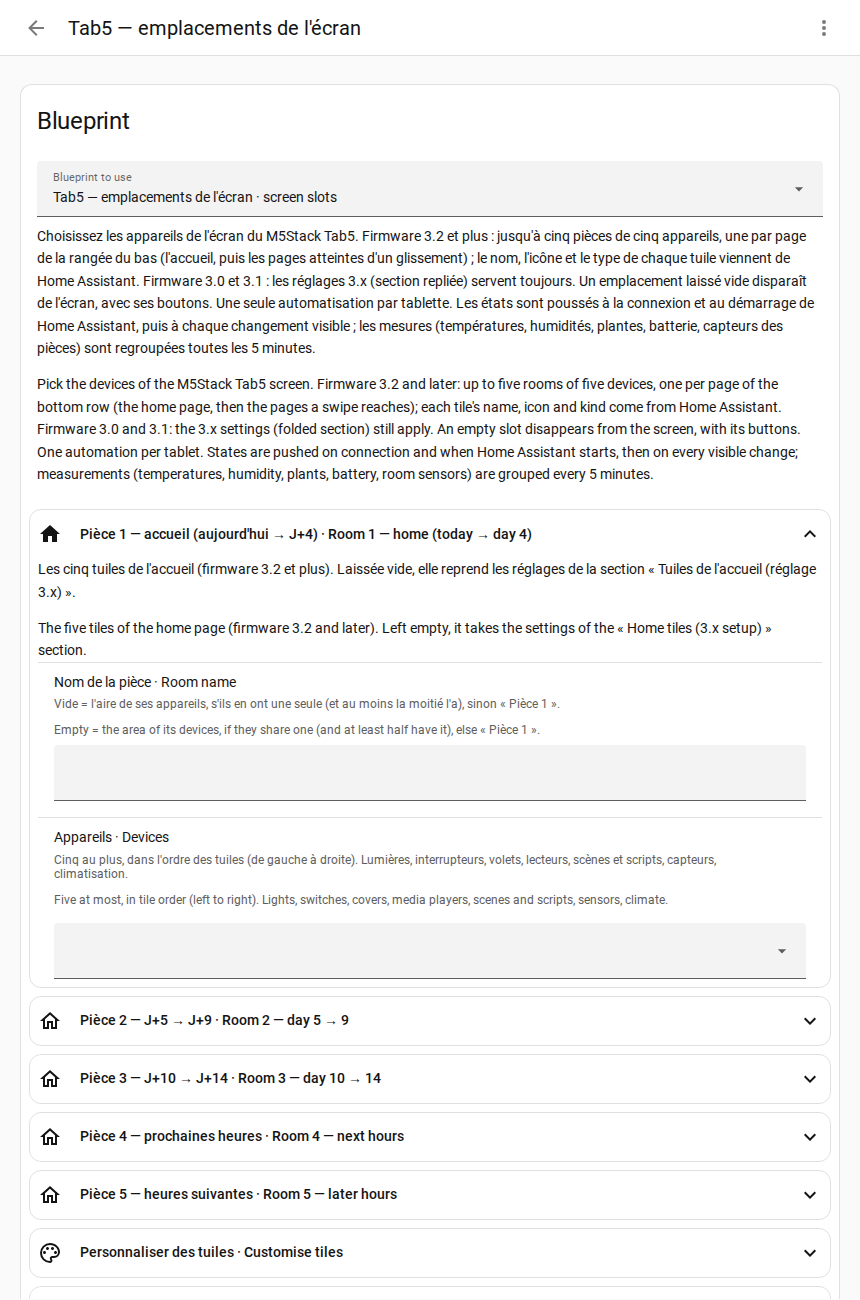
- Your devices: the automation made from the blueprint, with the mouse; changing a device needs no flash.
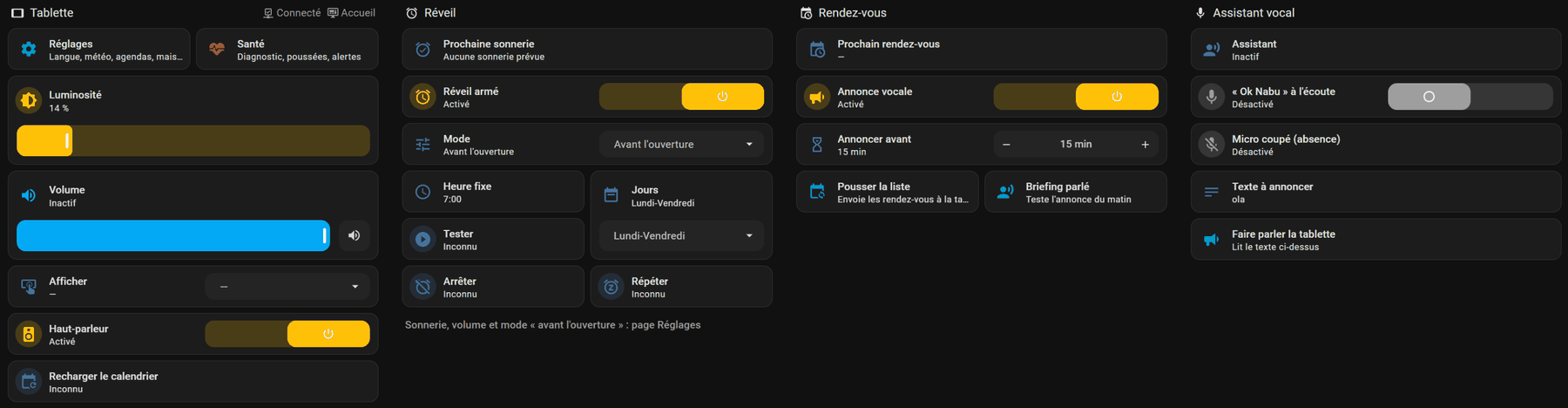
- A dashboard (optional): one line in the template tool of Home Assistant writes a dashboard for the tablet, with its settings and its health.
Where things are set. Once the tablet is in Home Assistant (step 4), everything is done there with the mouse, in two places. The « Tab5 · » lists hold your sources: weather, calendars, phone, music players, tracked sensors (step 5). One automation made from the blueprint holds your home: the rooms and their tiles, the climate, the temperatures, the energy sensors, the cameras, what the zones of the home screen show and what each tap and long press does (step 6). Every field is optional, with a help sentence in French and English, and a change reaches the screen at once, without a flash. The tablet's own settings (theme, language, brightness, alarm clock) are on the tablet and on its device page.
Updates then go through Home Assistant, in this order: the Home Assistant files first (in one click with HACS, otherwise by hand), then the firmware, from its « Firmware » entity (updates). Over the air, the tablet only accepts a firmware signed with the project key. Every setting — theme, light or dark, language, alarm clock, screen to show: tablet settings. To change the firmware yourself: build your own.
Just want to see it running first? The demo mode pushes demo data to a flashed tablet with a small script: no Home Assistant, nothing left to clean up.
Hardware compatibility
| Display chip (sticker on the back) | Units made | Status |
|---|---|---|
| ST7123 | 14 Oct 2025 → 28 Apr 2026 | ✅ Supported — the author's device, in daily use (default) |
| ST7121 | from 28 Apr 2026 | ✅ Runs on another user's unit since October 2026: display, touch and wake word (Discussion #278); the author has none — add tab5_ecran: st7121 to Tab5/user_entities.yaml |
| ILI9881C + GT911 touch | 9 May 2025 → 14 Oct 2025 | 🧪 Compiles, untested — add tab5_ecran: ili9881c to Tab5/user_entities.yaml |
| Waveshare ESP32-P4 7B (another board: 7-inch, 1024×600) | — | 🧪 Experimental — runs on the author's board since 14 Oct 2026, the games not adapted to its screen yet; install it from the browser (beta channel, from 3.9.0-rc.6) or build it with tab5_carte: waveshare-7b and ESPHome 2026.9.1 (Waveshare 7B) |
"Compiles, untested": the CI builds this variant on every display change, and the install page offers it, but this firmware has not been run on that chip yet. The ST7121 is built the same way, and has run on a user's unit since October 2026. How to identify your unit, and the ST7121 reports: hardware revisions. Tried one? → Discussions.
See it in action
▶ Demo video on YouTube (voice, touch, TV remote, climate — provisional cut, July 2026), and an animated tour of the screens in the default theme, drawn by the firmware itself on a PC with demo data:

Twenty-one themes, each light or dark: colours, shapes (radius, borders, shadows) and the fonts of the clock, the date and the titles. Six of them on the home screen, drawn by the firmware itself on a PC with demo data: two show a room's devices, the four others a different alert on the central card.
Energy (optional): up to four pages from the sensors picked in the blueprint (solar energy). Here the flows right now, the line as thick as the power; then the day's sun and forecast, the production, and the month's balance in kWh. Render with demo data; it runs at a user's home with real panels.
The tablet in Home Assistant — the dashboard written for your entities by step 7:
Every screen, each in a different theme — drawn by the firmware itself on a PC, with demo data; the games stay dark whatever the theme:
| Home: rain in the next hour (Bento, light) | The whole house (Relief doux, light) |
|---|---|
 |
 |
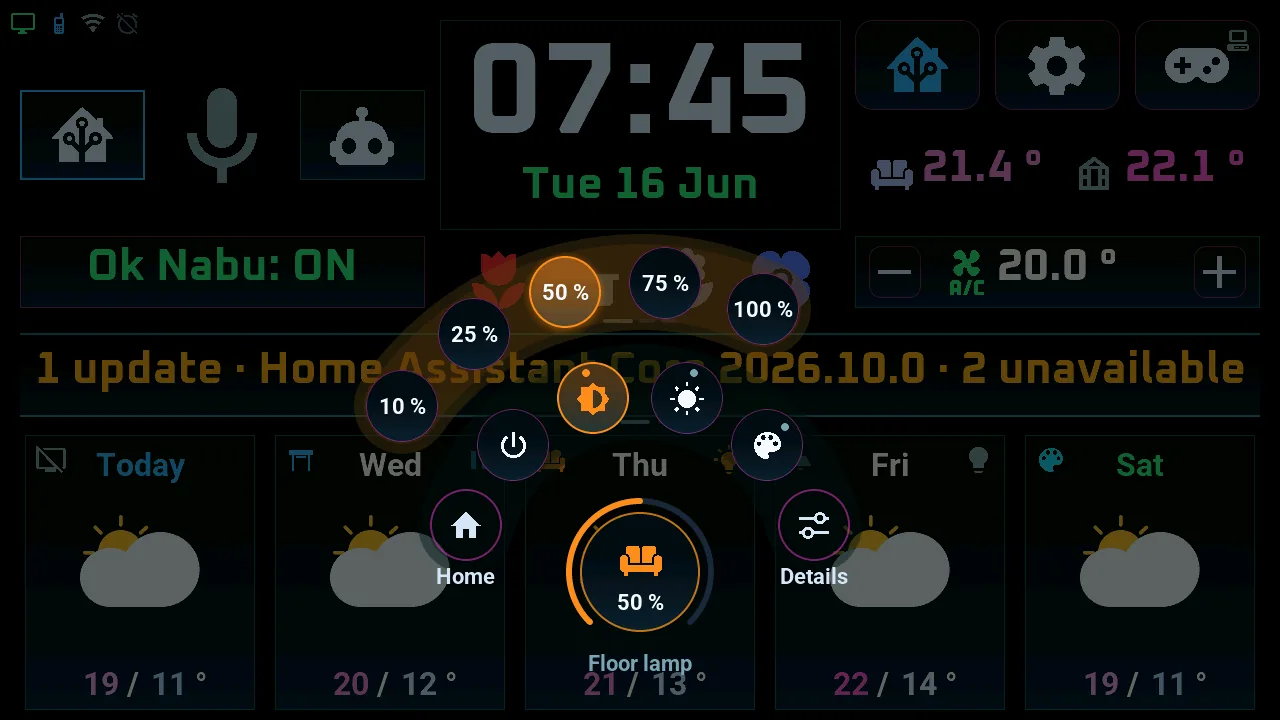
| Quick-action wheel (Néon calme, dark) | Lights (Bonbon, light) |
|---|---|
 |
 |
| Climate (Platine et or, dark) | Shutters (Terre cuite, light) |
|---|---|
 |
 |
| Plant sensors (Sorbet, light) | Energy, the flows right now (Ultraviolet, dark) |
|---|---|
 |
 |
| Temperature history (Almanach imprimé, light) | Monthly calendar (Zen Sumi, dark) |
|---|---|
 |
 |
| Alarm clock (Graphite, dark) | Voice assistant (Obsidienne, dark) |
|---|---|
 |
 |
| TV remote (Signalisation, light) | Settings (Capsule, light) |
|---|---|
 |
 |
| Music (Almanach, light) | Cameras, a still image each (Craie et ardoise, dark) |
|---|---|
 |
 |
| Tracked sensors (Béton brut, light) | Local AI server (Ardoise, dark) |
|---|---|
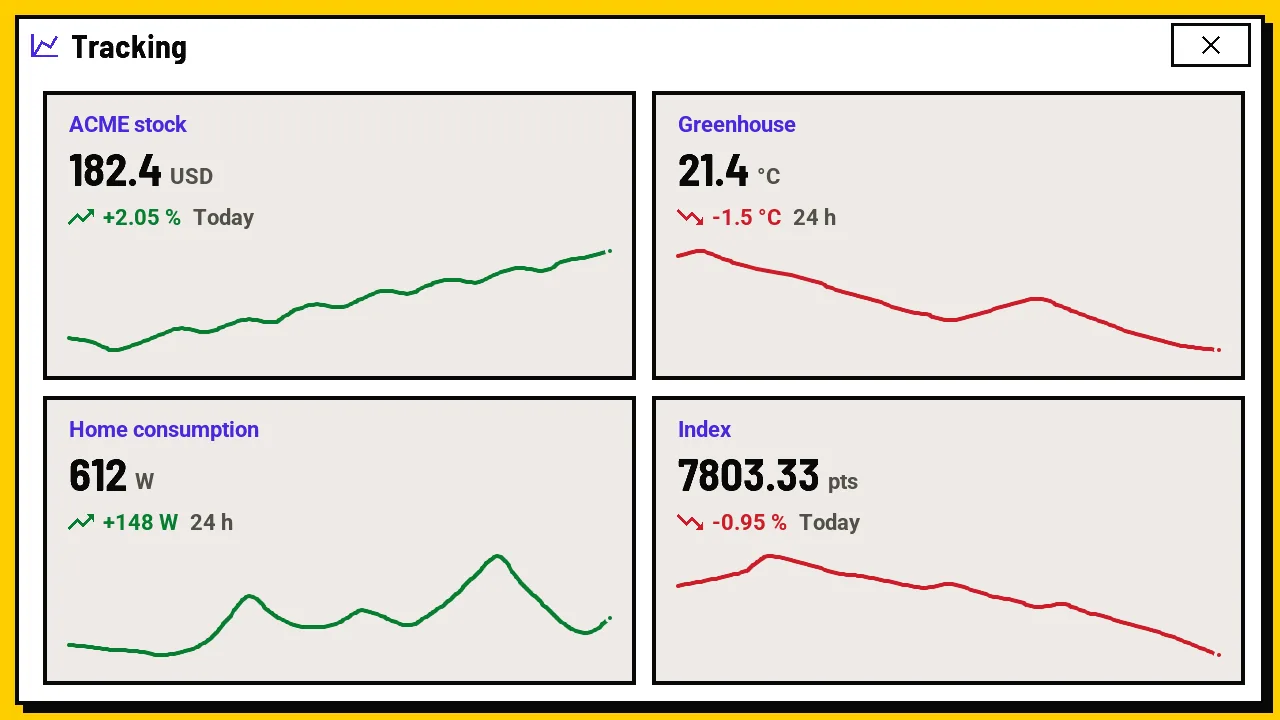 |
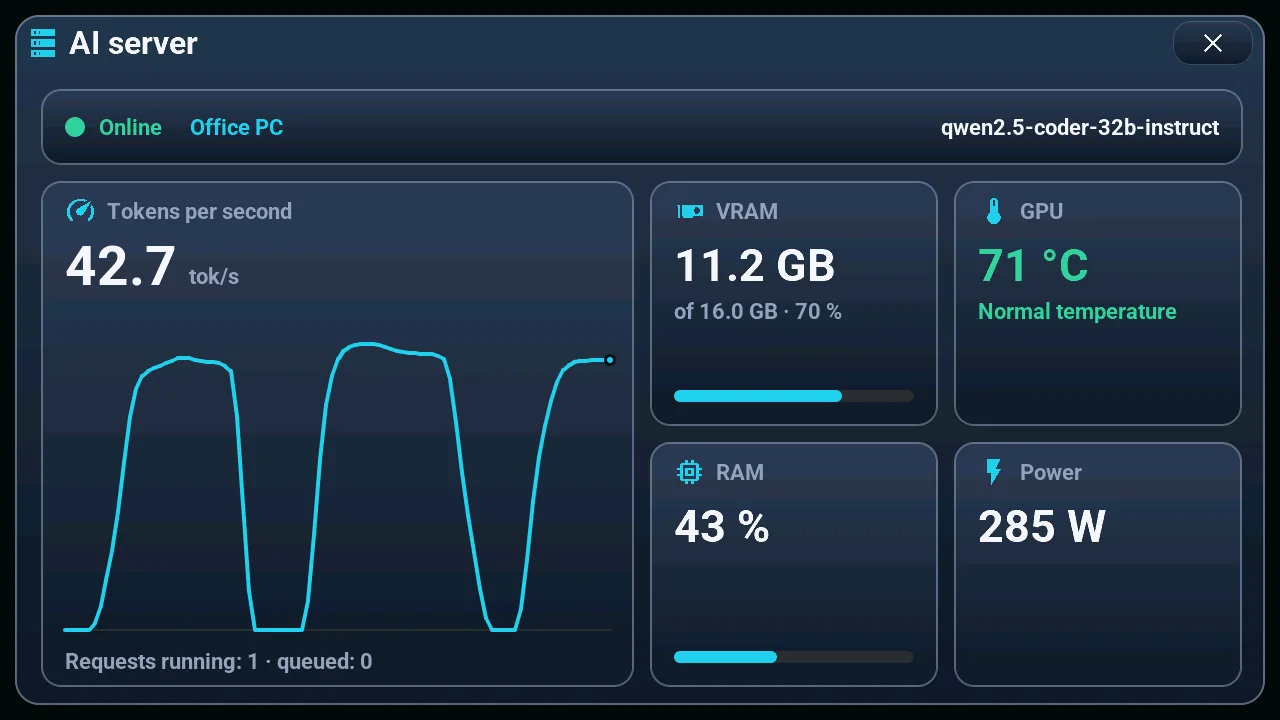 |
| Arcade: the game menu (Pixel, dark) | Roi Noir: chess with an engine on the tablet |
|---|---|
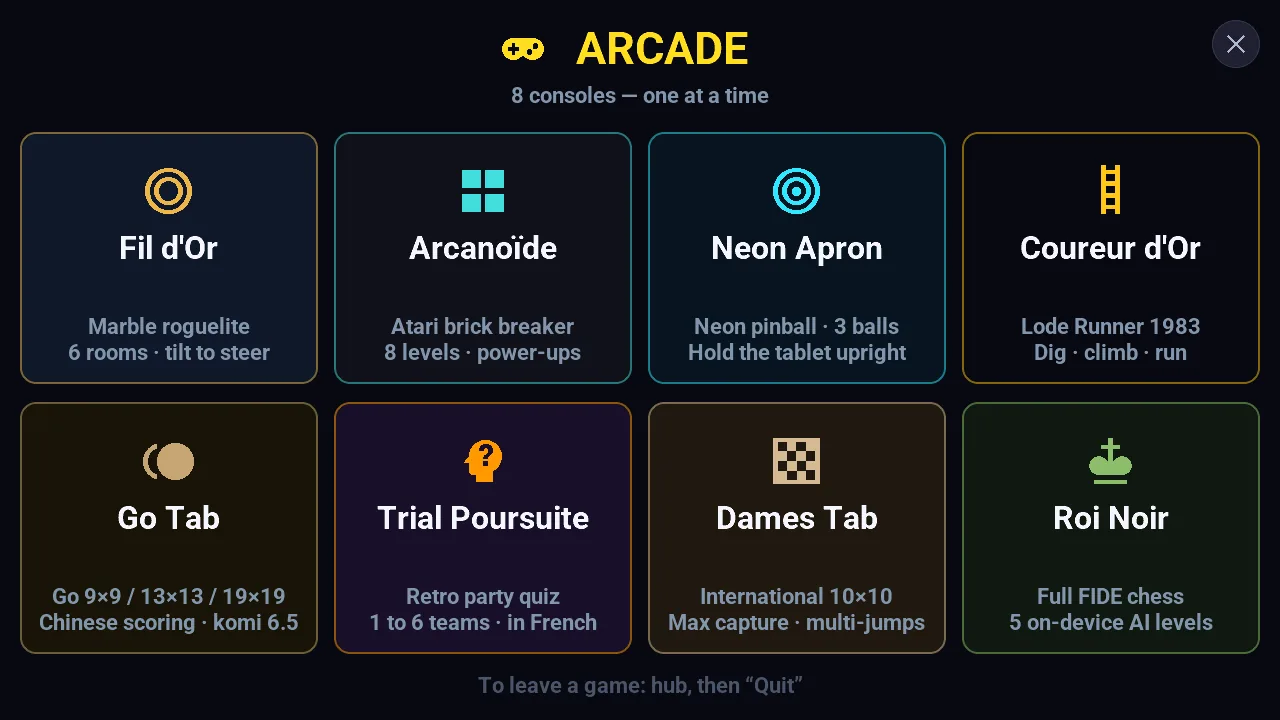 |
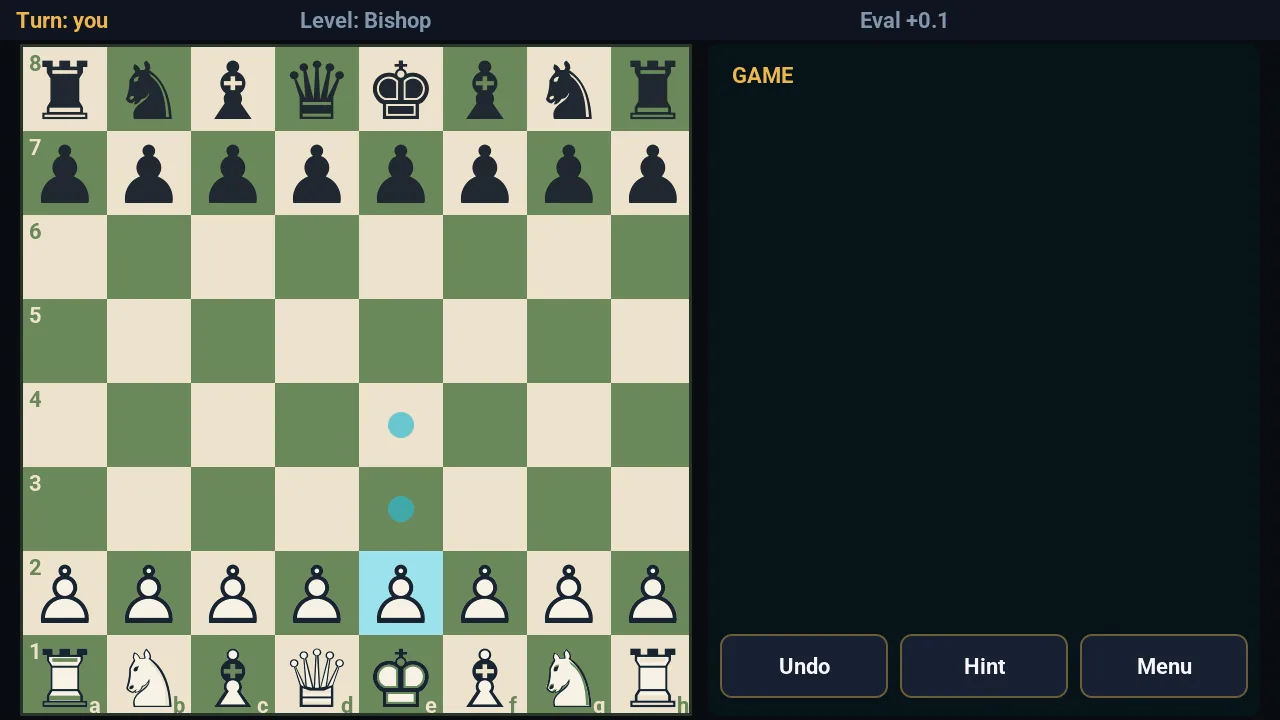 |
| Coureur d'Or: Lode Runner style | Arcanoïde: a breakout played by tilting |
|---|---|
 |
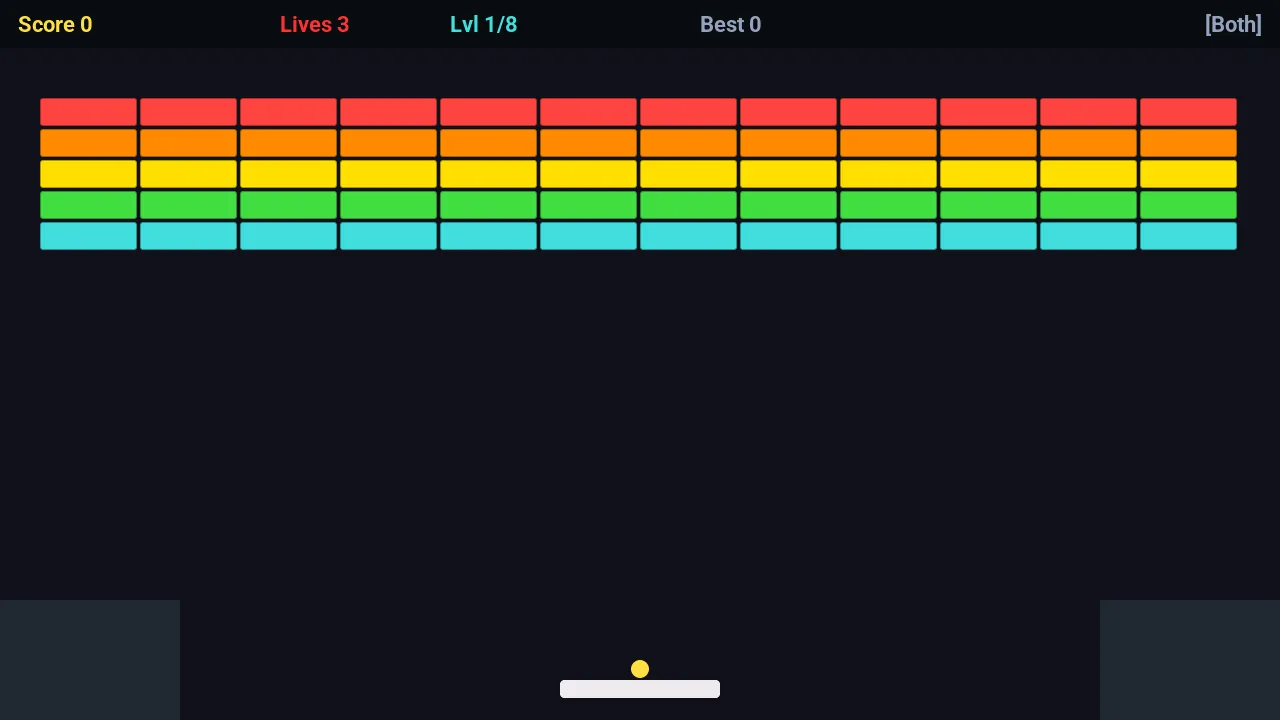 |
The games are experimental, first-pass code written by AI to see what LVGL and C++ can do on an ESP32-P4: they work, they are not polished (the eight consoles, in French).
Documentation
Every page is in English and French: install, use, set up, fix, understand how it is built — the full list is on the documentation page.
In this repository: AGENTS.md for AI coding agents, CARTOGRAPHIE_TAB5.md (every file and dependency), Tab5/README.md (the ESPHome files and the Home Assistant services), HomeAssistant_Config/README.md (the packages), CONTRIBUTING.md and the CHANGELOG.md.
Community
- Questions, ideas, your own build → Discussions (Q&A, Ideas, Show and tell, Hardware compatibility).
- Something broken? → open an issue; the form asks for your display chip and your ESPHome version.
- Security issue → report it privately, see
SECURITY.md. - Contributing →
CONTRIBUTING.mdand the code of conduct.
Thanks to @husyildiz, whose ideas, tests and reports in discussion #278 brought the step-by-step install page, the Turkish screen, the weather outside France, the original battery, the Energy popup for solar panels and the weather picked in the blueprint.
Thanks also to Jiuhai (@poonjh), who builds Tab5 devices on ESP-IDF: the questions and notes on the schematic in discussion #369 corrected the pages on the Wi-Fi co-processor and on power, and the notes are summed up in the hardware reference.
English or French, both are welcome.
A short personal note
Having heard a lot about AI for coding, I wanted to see for myself what it could do. My old Nextion screen (mostly weather, already on ESPHome and Météo-France) was starting to feel dated, so I replaced it: a lot more home automation, on a far more capable display, with AI writing the code from end to end. Why a screen, what it had to do, and how it grew: the story.
Note on AI
This project is part of a personal exploration of what AI tools can produce when given full authorship of a technical project. The code, the architecture decisions, and most of this documentation were generated by AI (Antigravity/Gemini, DeepSeek, MiniMax, Z.ai, Claude, Cursor). My role was to set the goal, test, reject, and steer — more architect than line-by-line author. The goal was never to ship a polished product — it was to learn, to see where AI helps and where it gets stuck, and to share what came out of it.
If something in the code is weird, it might be an AI quirk. If something works surprisingly well, same answer.
→ More context: docs/related_projects.md