Energy
Only if sensors are picked in the « Énergie » sections of the blueprint (solar energy). Opens with a tap or a long press on one of those sensors' cards (bottom row), the solar one with its solar-panel icon. When the solar production shows in the status row, a long press on the Home Assistant button, top right of the home screen, opens it too.
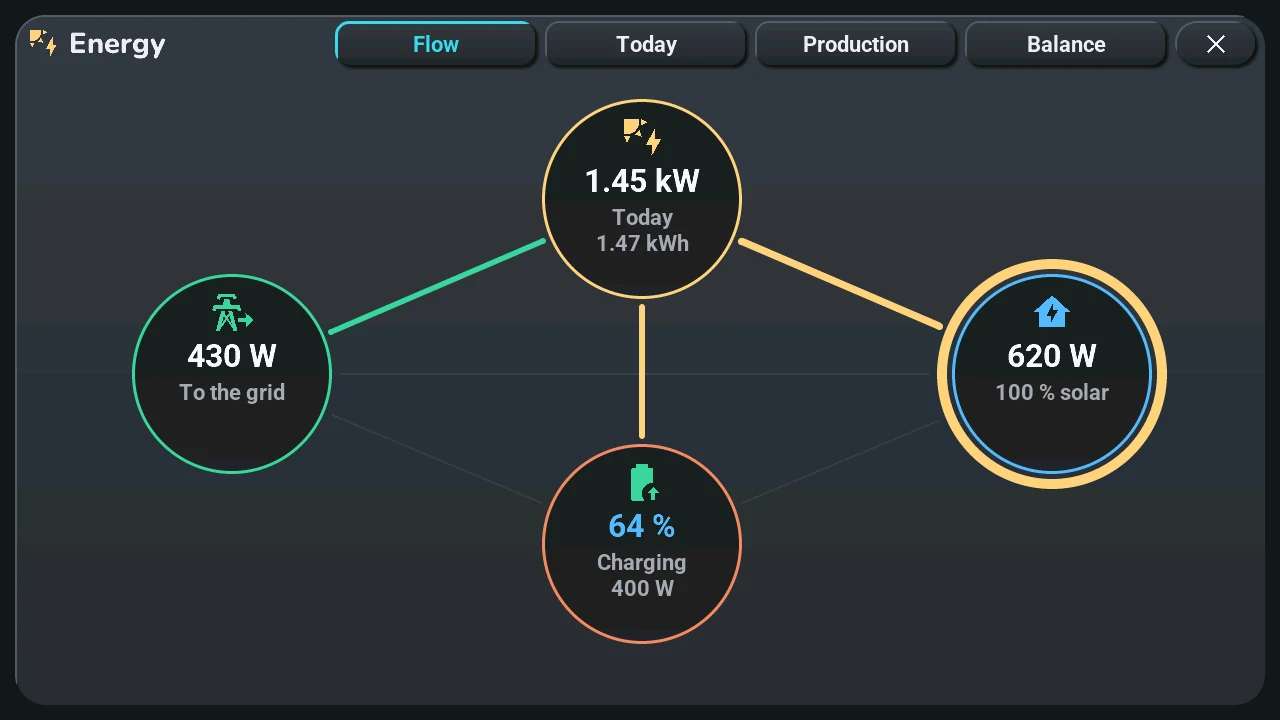
The window has up to four pages: swipe left or right, or touch their names at the top. It opens on the first one that has data; a page without its data is not shown.
- Flow: solar, home, grid and battery as circles, joined by lines as thick as the power flowing; the ring around the home shows the share coming from the sun and from the grid.
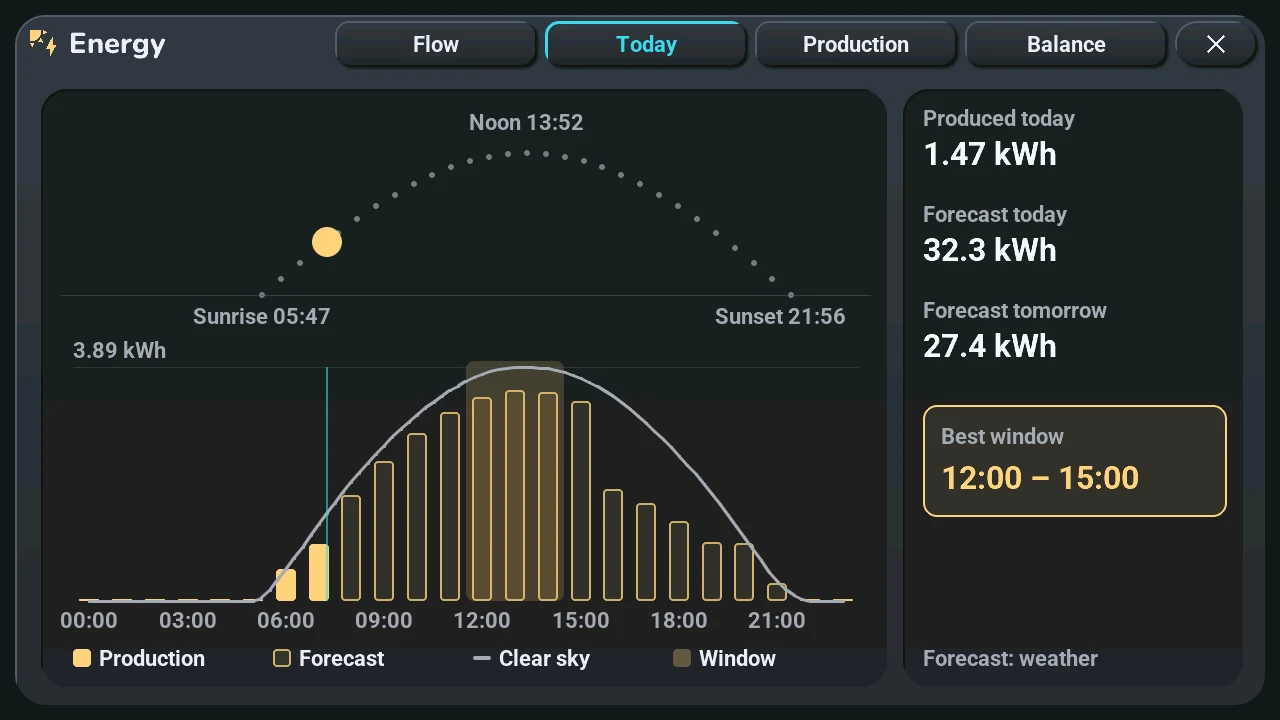
- Today: the sun's course from sunrise to sunset with the sun at its place, and solar noon. Below, hour by hour: what was produced (full bars), the forecast (outlined bars) and the learned clear-sky curve (the line: what your panels give on a sunny day, shade included). The light band is the best window of the rest of the day, to run the washing machine for instance. On the right: produced, forecast for today and tomorrow. Until a few sunny days are known, the window says the curve is being learned.
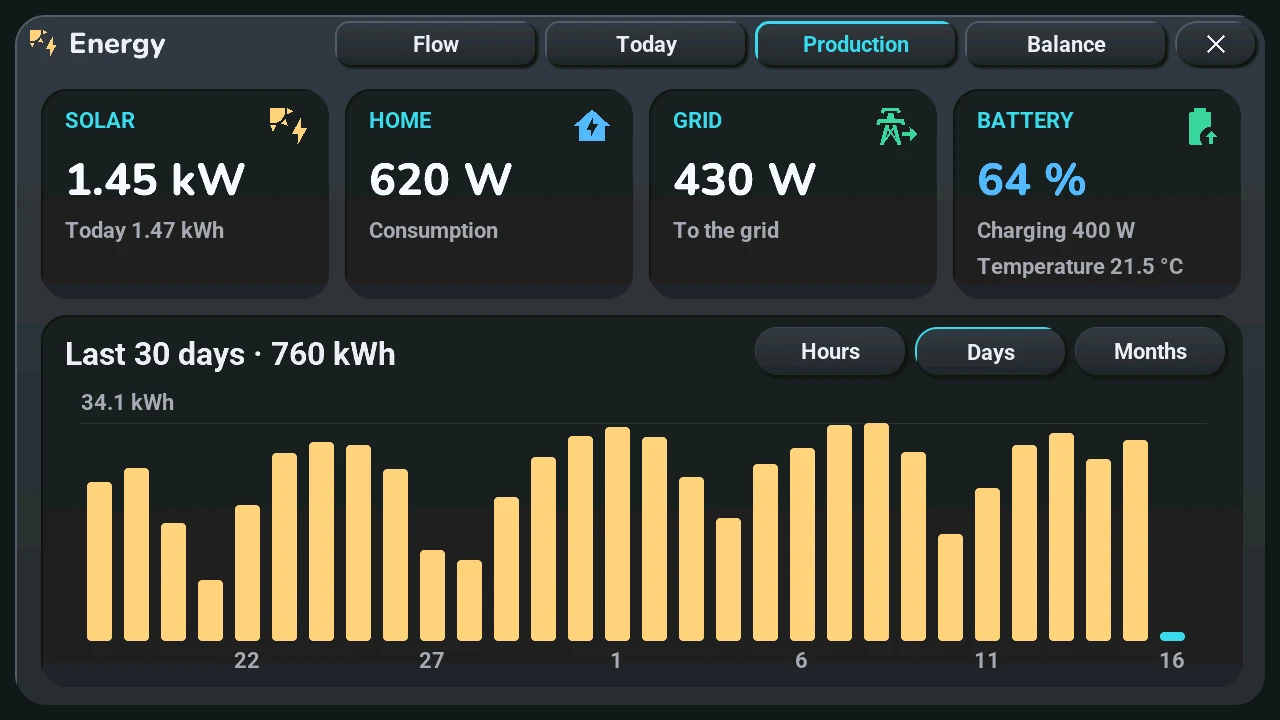
- Production:
- top, live: Solar (power and today's production), Home (consumption), Grid (from or to the grid), Battery (level, charging or discharging, temperature). A card without a sensor is not shown.
- bottom: the production, with the period and its total as title. Hours (today, hour by hour), Days (the last 30 days), Months (the last 12 months). The current hour, day or month is in the accent colour; the line at the top gives the highest bar.
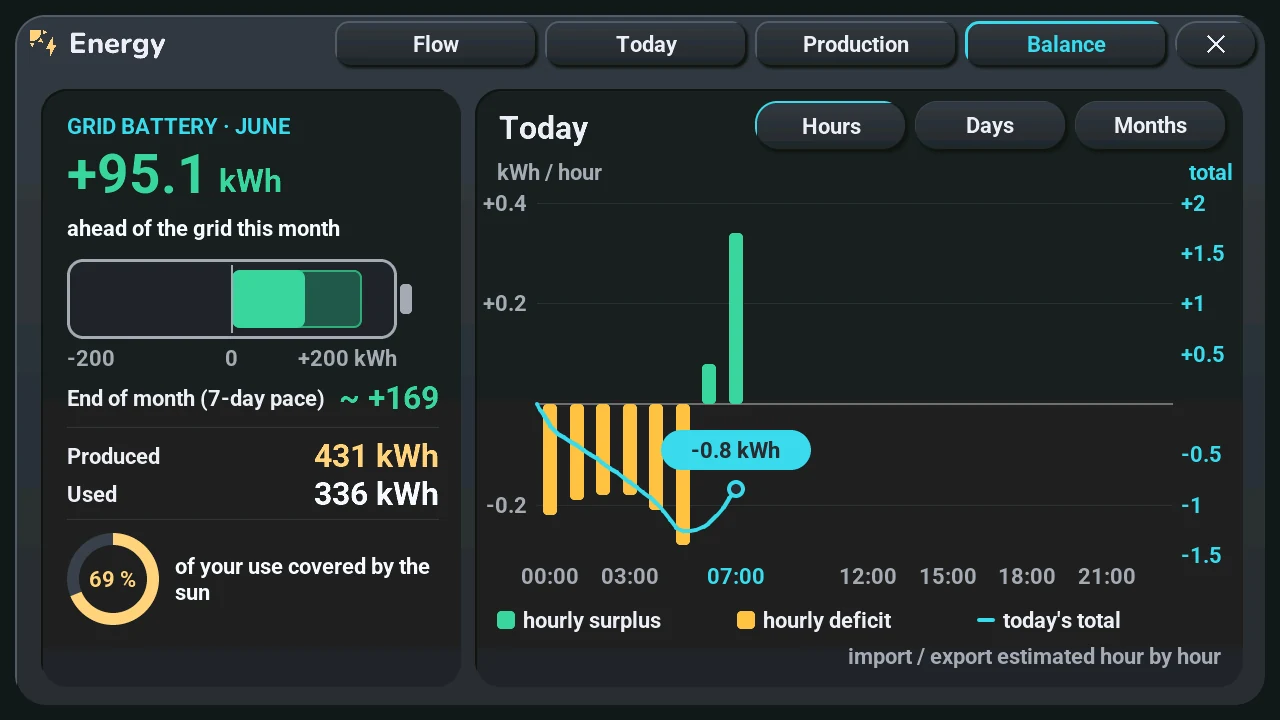
- Balance, in kWh (with the production and the home consumption, or a grid meter; ADR-0062):
- left, « Grid battery »: this calendar month, as if the grid were a battery. The big number is the net of the month (produced − consumed): green when you are ahead of the grid, in the warning colour when behind. The gauge is centred on 0; the faded part is where the month should end at the pace of the last 7 days, written below. Then produced, consumed, the savings when prices are given, and the ring: the share of your use covered by the sun.
- right: the net of each hour, day or month as bars (surplus up, deficit down) and its running total as a line. Hours (today), Days (the days of the month: today has a bubble, the dots go on to the end of the month at the recent pace), Months (the months of the year).
- Without an import or export meter, Home Assistant estimates them hour by hour from the production and the consumption; the window says « import / export estimated hour by hour ».
| Today | Production | Balance |
|---|---|---|
 |
 |
 |
The history needs the produced-energy sensor; without it, the live cards fill the window. Before Home Assistant answers, the window says it is waiting. What to pick in Home Assistant: solar energy.