Temperature
Opens with a long press on one of the two temperatures of the home screen: the room's, or the second one (greenhouse or outdoors). A tap on the second one switches the area left of the clock between the voice controls and the chart of the coming hours.
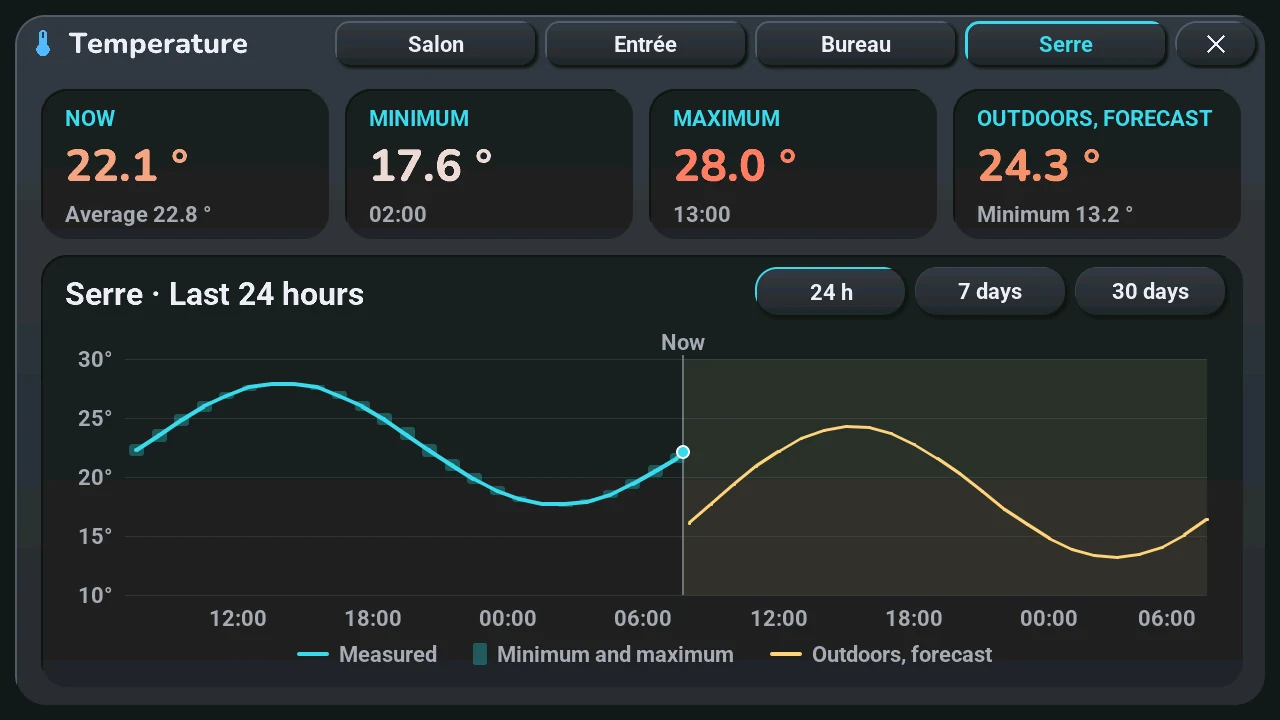
- Top: Now (and the average of the period), Minimum and Maximum, each with when it was reached. For the second temperature, a fourth card: the highest forecast temperature, and the lowest below it.
- Bottom: the curve, with the place and the period as title. 24 h (hour by hour), 7 days (every three hours), 30 days (day by day). The line is the average; the pale bar behind it goes from the minimum to the maximum; the dot at the end is the temperature now.
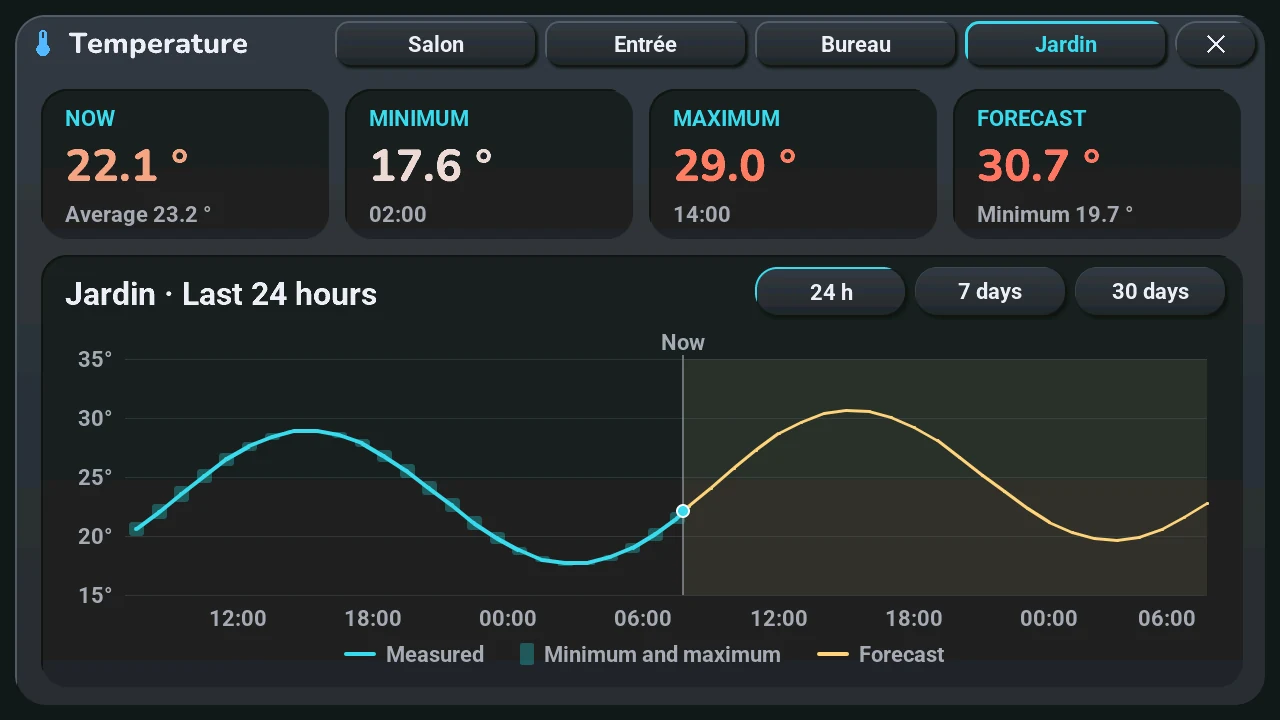
- Forecast, for the second temperature only: in gold, on a tinted background after « Now ». A day-by-day forecast also has its minimum-maximum bar. If the blueprint says that temperature is outdoors (« La seconde température est dehors »), the forecast extends the curve and is named « Forecast »; otherwise (a greenhouse, another room) it stays apart, named « Outdoors, forecast ».
Humidity. When the place has a humidity sensor (the living room's « Salon — humidité », or a room's « Humidité de la pièce »), its curve is drawn on the same chart in the humidity colour, with its own scale in % on the right (the same grid lines as the degrees); the fourth card shows the humidity now and its range over the period. Without a humidity sensor, the window is exactly as before.
One page per temperature. Next to the title, one tab per known temperature: the living room, each room whose section declares a temperature, the second temperature. Tap a tab, or swipe left or right on the window, to show the next one; the view (24 h, 7 days, 30 days) stays the same. With a single temperature, there are no tabs.
A room in HA mode. If the room's section of the blueprint declares a temperature sensor (« Température de la pièce »), the home screen shows that room's temperature on the left while you are on it in HA mode, its humidity on the right with a drop when a humidity sensor is declared; a long press on either opens its history, with no forecast. If the section also declares a climate (« Climatisation de la pièce »), the − and + under it adjust that climate, and a tap on its setpoint opens its climate window. In weather mode, or on a room without these fields, the home screen shows the living room and the second temperature as before.
Home Assistant sends the curve only while the window is open, from its long-term statistics: the sensor needs a state class (thermometers have one), and the forecast is the weather entity picked for the tablet. Without statistics, the window says there is no history; before Home Assistant answers, it says it is waiting.