Alarm clock
Opens with a long press on the time, hours or minutes (a long press on the date opens the calendar); another gesture can be chosen in the blueprint (home screen). The alarm rings even without Home Assistant: the time, the next days' work hours and the melody are on the tablet.
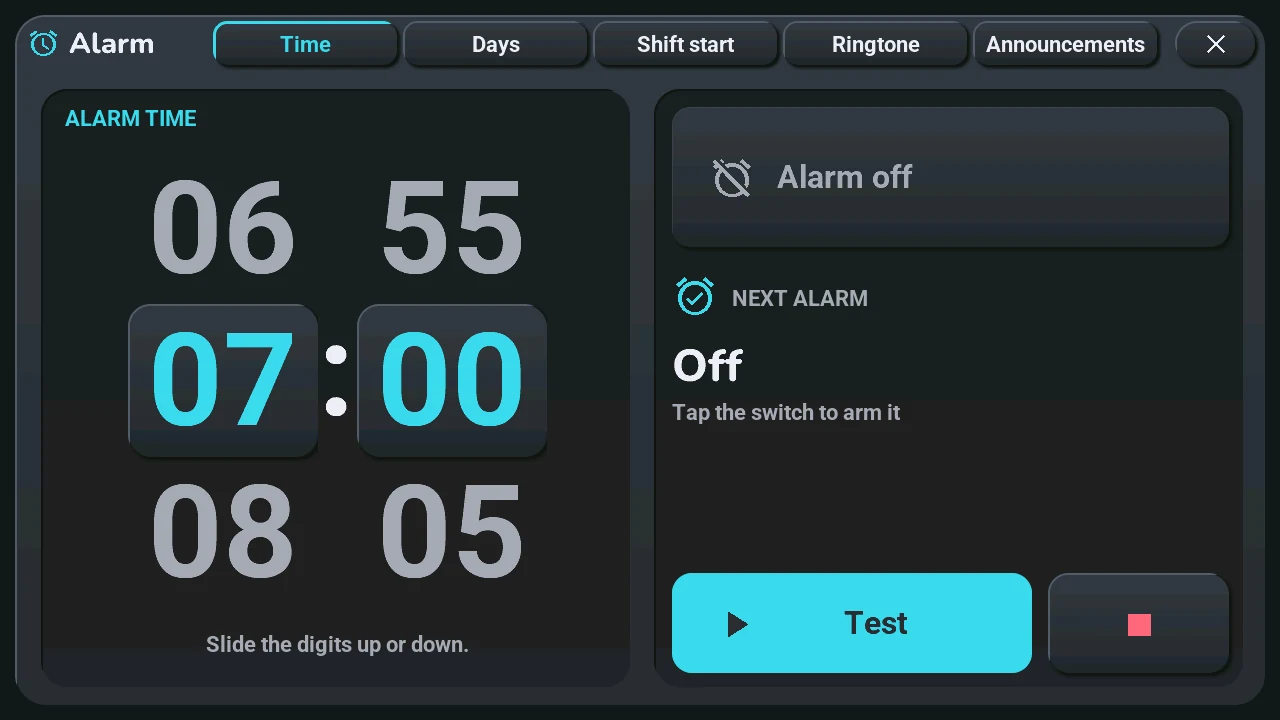
The window has five pages, named at the top next to the title: Time, Days, Shift start, Ringtone, Announcements. Tap a name, or slide the window left or right (it loops from the last page back to the first). It always opens on Time. Values are set on wheels: slide the numbers up or down, the one in the middle is kept.
Time
- Alarm time: the hours and the minutes (5 by 5) on two large wheels. A minute set otherwise in Home Assistant shows as it is.
- Alarm off / on: the large button arms it or turns it off.
- Next alarm: the day and time of the next ring, or why there is none.
- Test rings now, ■ stops the test.
Days
- Mode, with a reminder line below it:
- Fixed: at the fixed time, on the checked days;
- Work: at the fixed time, on the days your work calendar has work, whatever the weekday;
- Shift start: before the start of the day's work (settings on the next page).
- Days for the fixed time: tap a day to check or uncheck it, or pick Every day, Monday-Friday, Monday-Saturday or Weekend.
- Days off: Quiet or Fixed time, what Work and Shift start do on a day off: nothing, or the fixed time if that day is checked.
Without calendar data, Work and Shift start ring at the fixed time: a ring too many costs less than a missed start.
Shift start (only for the Shift start mode)
- Four wheels: Lead time (before shift start), Not before, Not after, Min rest (the hours of rest after the previous evening's closing). « Not after » wins, so rest never makes you late. A sentence below sums up the result, or says the mode is not in use.
Ringtone
- Melody: four buttons; tapping one chooses it and plays it.
- Volume: the alarm's own volume, apart from the tablet's.
- Gradual volume: Yes (rises gently up to the set volume) or No.
- Snooze (between two rings) and Max length (then it stops by itself): two wheels.
Announcements
- Spoken wake-up announcement: Yes or No. 12 s into the first ring, if it still rings, a spoken briefing (time, today's work, next appointment, temperature); it needs Home Assistant.
- Appointment announcements: Yes or No, the reminder of timed appointments, on screen and by voice; the wheel sets how long before the appointment.
- Next appointment: the next one Home Assistant sent, on up to three lines.
When it rings
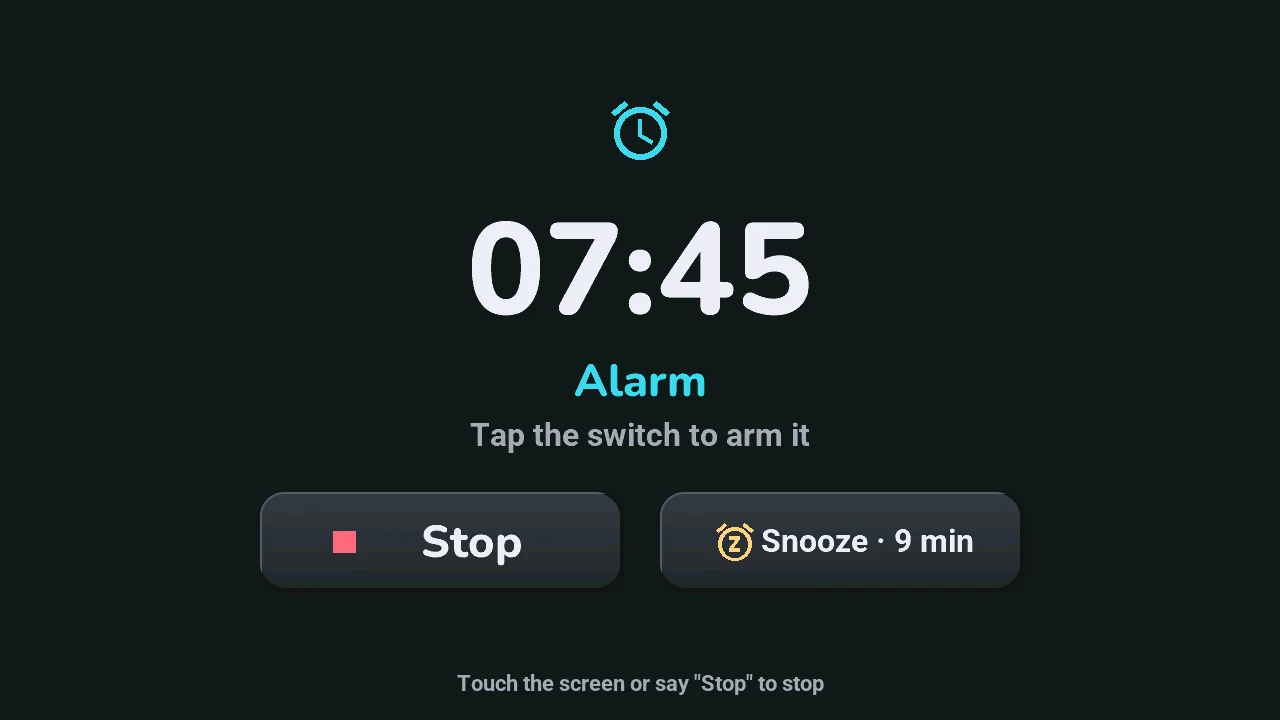
- A touch anywhere stops it, or say « Stop », even with the wake word off.
- Snooze: it rings again after the snooze time.
The same settings are entities of the tablet in Home Assistant (tablet settings); the bell of the status row gives its state (home screen).